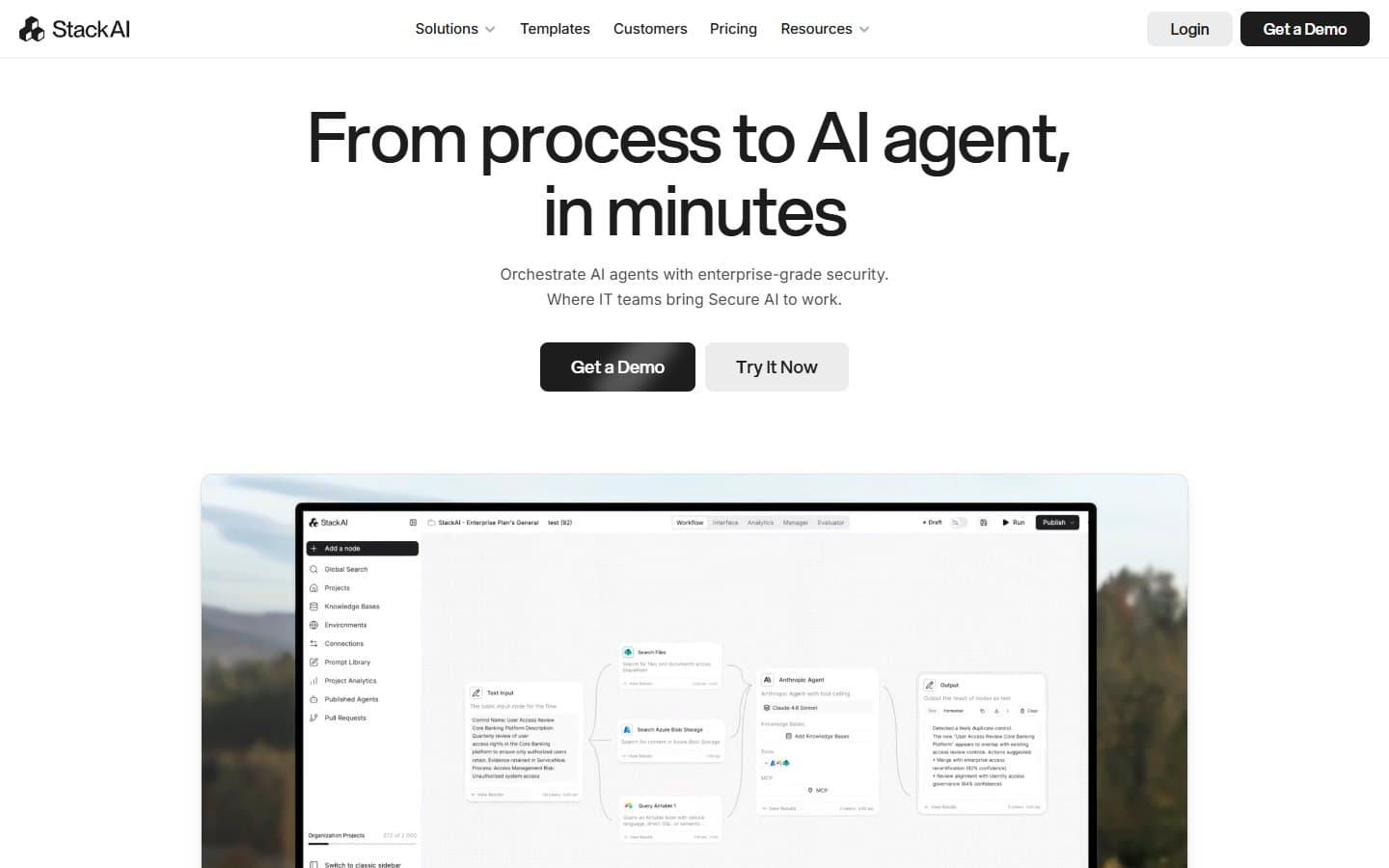
Stack AI is built for enterprise teams who need compliant, custom AI workflows. Most small businesses will find it expensive and unnecessarily complex. Save your money unless you're handling sensitive documents or need HIPAA compliance.
Who Stack AI Is Best For
You should consider Stack AI if you're a healthcare practice, legal firm, or mid-size company processing lots of documents. It shines when you need HIPAA or SOC 2 compliance for AI workflows.
Operations teams that want to build internal AI tools without coding will appreciate the visual builder. Companies already spending thousands on AI tools might find Stack AI's all-in-one approach cost-effective.
Skip it if you're a typical small business owner looking for basic AI help. A simple ChatGPT subscription or dedicated tool like Zapier will serve you better.
What Stack AI Actually Does
Stack AI lets you build AI workflows using a drag-and-drop interface. Think of it as a visual programming tool for AI tasks.
You can create document processing pipelines that extract data from PDFs, invoices, or contracts. The system connects to popular business tools and can answer questions about your company data.
The platform supports multiple AI models including GPT-4, Claude, and Gemini. You pick which model works best for each task in your workflow.
Stack AI also offers white-label deployment. This means you can brand the AI tools as your own and embed them in your website or app.
Stack AI Pricing
The free plan gives you 3 workflows and 1,000 AI credits. That's barely enough to test the platform properly.
Paid plans start at $199/month for unlimited workflows and 100,000 credits. You also get priority support and custom branding.
Enterprise pricing isn't listed publicly. Expect to pay significantly more for HIPAA compliance, SSO, and dedicated support.
The pricing puts Stack AI out of reach for most small businesses. You're paying for enterprise features whether you need them or not.
What We Like
The visual workflow builder actually works well. You can create complex AI pipelines without writing code. The interface is intuitive once you understand the concepts.
Compliance features set Stack AI apart. HIPAA and SOC 2 certification matters if you handle sensitive data. Most AI tools can't make these guarantees.
Multi-model support is smart. Different AI models excel at different tasks. Being able to mix and match gives you better results.
Document processing capabilities are strong. The system handles various file types and can extract structured data reliably.
API export means you're not locked in. You can take your workflows elsewhere if needed.
What We Don't Like
The pricing is aggressive for small businesses. $199/month is steep when simpler alternatives cost $20-50/month.
The learning curve is steeper than advertised. "No-code" doesn't mean "no-learning." You need to understand AI concepts and workflow logic.
Credit limits create ongoing costs you can't predict. Heavy usage months will blow through your allocation quickly.
The free plan is too limited for proper evaluation. You can't build anything meaningful with 3 workflows.
Customer support quality varies based on your plan tier. Free and starter users get basic help while enterprise customers get dedicated support.
How Stack AI Compares to Alternatives
Zapier offers simpler automation at lower prices but lacks AI-specific features. You'll pay $20-100/month for basic workflow automation.
Microsoft Power Platform provides similar visual building tools. It's cheaper if you already use Microsoft 365 but harder to set up.
Make (formerly Integromat) costs less and handles complex workflows well. However, it doesn't include built-in AI models or compliance features.
For document processing specifically, tools like Docparser or Parseur cost much less. They're more limited but handle basic extraction tasks fine.
ChatGPT Plus at $20/month handles most small business AI needs. You lose workflow automation but gain simplicity and affordability.
Should Your Business Use Stack AI?
Most small businesses should skip Stack AI. The pricing and complexity don't match typical small business needs.
Consider it if you're in healthcare, legal, or financial services and need compliant AI workflows. The specialized features justify the cost in these cases.
Mid-size companies processing hundreds of documents monthly might find value. Calculate whether Stack AI's automation saves more than $199/month in labor costs.
Startups should definitely look elsewhere. Spend your limited budget on simpler tools that solve immediate problems.
If you're already using multiple AI tools and paying over $150/month total, Stack AI might consolidate your stack effectively.
FAQ
Can I try Stack AI for free?
Yes, but the free plan only includes 3 workflows and 1,000 credits. This is enough for basic testing but not real evaluation.
Does Stack AI work with my existing business tools?
Stack AI connects to popular platforms like Google Drive, Slack, and Salesforce. Check their connector list before committing to ensure your tools are supported.
How technical do I need to be to use Stack AI?
You don't need coding skills, but you should understand basic workflow logic and AI concepts. Expect a few weeks to become proficient.
Is Stack AI worth it for document processing alone?
Probably not for small businesses. Dedicated document processing tools like Docparser cost much less and handle basic extraction needs adequately.