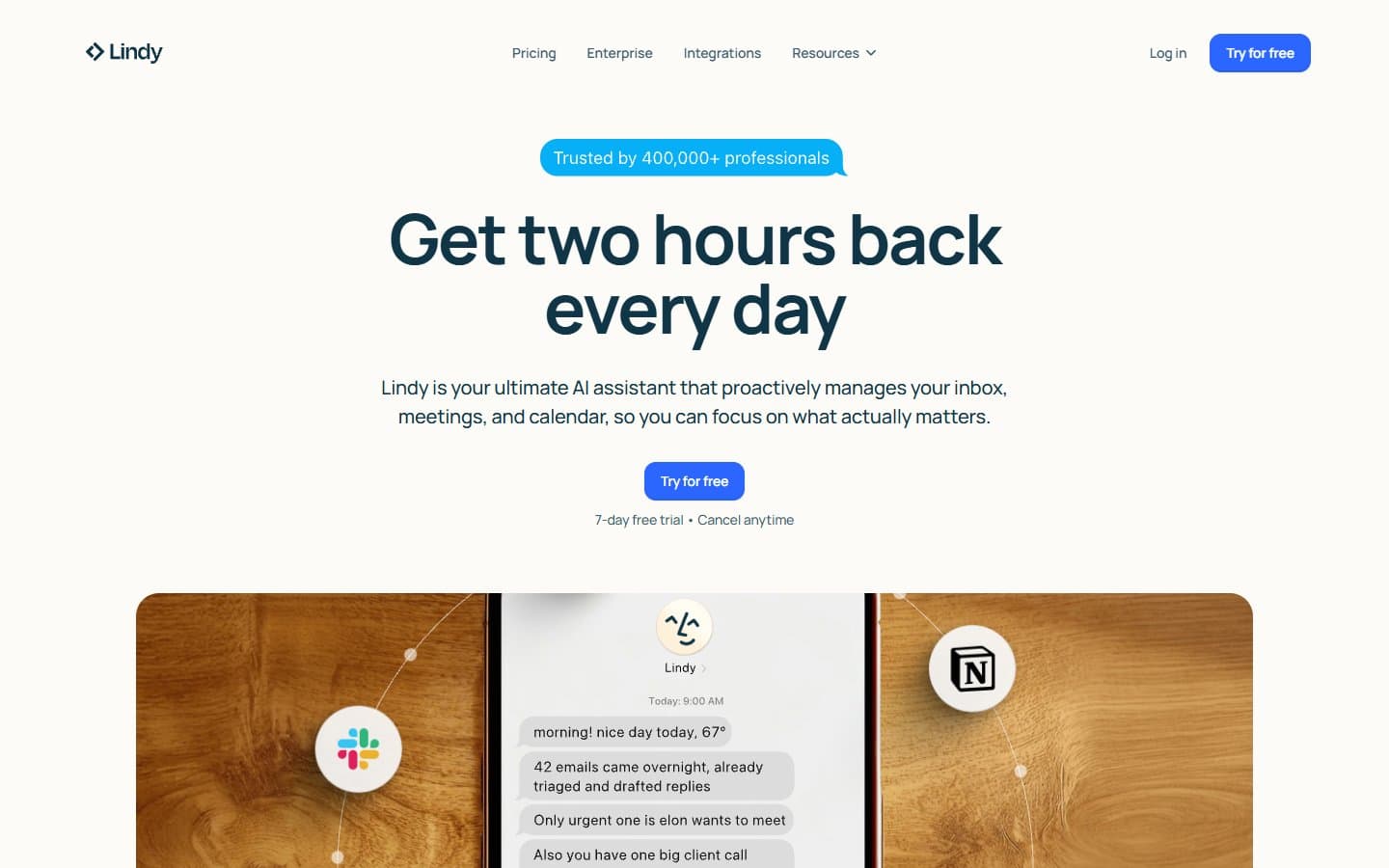
Lindy AI does what it promises: automates repetitive business tasks without making you learn to code. It's not perfect, but it handles email management, CRM updates, and scheduling well enough to save you real time. For most small businesses, it's worth the monthly cost.
Who Lindy AI Is Best For
Lindy AI works best for small business owners drowning in admin work. If you spend hours daily on email triage, updating your CRM, or scheduling meetings, this tool will help.
Sales teams get the most value. Lindy AI automatically updates contact records, sends follow-up emails, and schedules calls based on your conversation history.
Founders without technical teams also benefit. You can build workflows that act like a virtual assistant without hiring one or learning to code.
What Lindy AI Actually Does
Lindy AI creates "agents" – automated workflows that handle specific business tasks. You build these agents through a visual interface that connects different actions together.
The email agent reads your inbox and categorizes messages. It can respond automatically based on rules you set. It's smart enough to understand context and tone, though you'll want to review responses initially.
The CRM agent pulls data from emails and meetings to update customer records. It extracts contact details, notes deal stages, and logs interaction history. No manual data entry required.
Scheduling works through email and calendar integration. Lindy AI can propose meeting times, send calendar invites, and handle the back-and-forth of finding mutual availability.
You can chain these actions together. For example: when someone emails about pricing, Lindy AI can log it in your CRM. It sends a follow-up with your rate card and schedules a call if they respond positively.
Lindy AI Pricing
The free plan gives you one agent and 400 monthly tasks. That's enough to test the platform but not enough for serious business use.
Pro costs $49 monthly for unlimited agents and 5,000 tasks. This tier includes all integrations and priority support. Most small businesses will land here.
Business at $149 monthly adds team workspaces, custom knowledge bases, and 15,000 tasks. Only larger teams need this tier.
Pricing is reasonable compared to hiring a virtual assistant. One agent handling your email and CRM updates easily justifies $49 monthly.
What We Like
The no-code builder actually works. You drag and drop actions to create workflows without writing a single line of code. The interface is intuitive enough that non-technical users can build useful agents in under an hour.
Email handling is genuinely helpful. Lindy AI correctly identifies urgent messages and sorts routine inquiries. It drafts appropriate responses too. The quality surprised us – responses sound natural, not robotic.
Integrations cover the tools small businesses actually use. Gmail, Outlook, HubSpot, Salesforce, Slack, and Calendly all work smoothly. Setup takes minutes, not hours.
The human-in-the-loop feature prevents disasters. You can set Lindy AI to ask for approval before sending emails or updating important records. This safety net makes automation less scary.
Custom knowledge bases help agents understand your business. Upload your FAQ, pricing sheets, and company policies. This way agents give accurate information when responding to inquiries.
What We Don't Like
Workflow complexity hits walls quickly. Simple automation works well, but complex multi-step processes often break. They can produce unexpected results. You'll spend time debugging workflows that should work but don't.
Error handling is weak. When something goes wrong, Lindy AI often fails silently rather than alerting you. You might not realize an important email wasn't sent. Or that a CRM record wasn't updated.
The learning curve is steeper than advertised. Despite the "no-code" promise, building effective agents requires understanding how different triggers and actions interact. Expect several hours of trial and error.
Integration depth varies wildly. While most tools connect, some integrations are surface-level. You can't always access the specific fields or actions you need.
Customization options are limited compared to coding your own solution. Power users will quickly hit constraints that prevent building exactly what they want.
How Lindy AI Compares to Alternatives
Zapier offers more integrations and better reliability but requires more technical knowledge. Zapier's automation is also more rigid – you can't easily add AI decision-making to workflows.
Notion AI and Airtable Automations handle data management well but lack Lindy AI's natural language processing. They can't understand and respond to emails with the same sophistication.
Hiring a virtual assistant costs more but provides human judgment and flexibility. For complex tasks requiring nuance, humans still win.
Microsoft Power Automate integrates better with Office 365 but has a steeper learning curve and costs more for equivalent functionality.
Should Your Business Use Lindy AI?
Yes, if you're spending more than 5 hours weekly on repetitive admin tasks. Lindy AI will reclaim most of that time within your first month.
Start with the Pro plan and focus on one workflow initially. Email management or CRM updates are good starting points because the value is immediately obvious.
Skip Lindy AI if you need complex automation or have unique workflow requirements. The platform works best for common business processes, not specialized industry needs.
Also skip it if your budget is extremely tight. While $49 monthly is reasonable for most businesses, it might be too much if you're just starting out.
FAQ
How long does setup take?
Basic agents take 30-60 minutes to build and test. More complex workflows can require several hours of refinement.
Can Lindy AI access all my email?
Yes, but you control which folders and types of messages each agent can process. You can restrict access to sensitive communications.
What happens if Lindy AI makes a mistake?
You can enable approval workflows for critical actions. Lindy AI will ask permission before sending emails or updating important records.
Do I need technical skills to use Lindy AI?
Basic computer skills are enough for simple workflows. Complex automation benefits from understanding how different business tools interact, but coding isn't required.