Who Should Use Harvest
Harvest solves one problem: you do work, you need to get paid for it, and something always goes wrong between those two steps.
If you run a 5-person marketing agency and spend every month-end hunting for missing billable hours, Harvest fits. Same for the solo consultant juggling four retainer clients who keeps forgetting to log time until Friday afternoon — by which point half of it has vanished.
A 10-person web development studio gets particular value. Track time against specific projects, see budget overruns before they happen, and generate invoices the moment work finishes. That speed matters. The faster you invoice, the faster you get paid.
Skip Harvest if you run e-commerce, retail, or any business that doesn't bill by time. The tool wasn't designed for that model.
What It Does
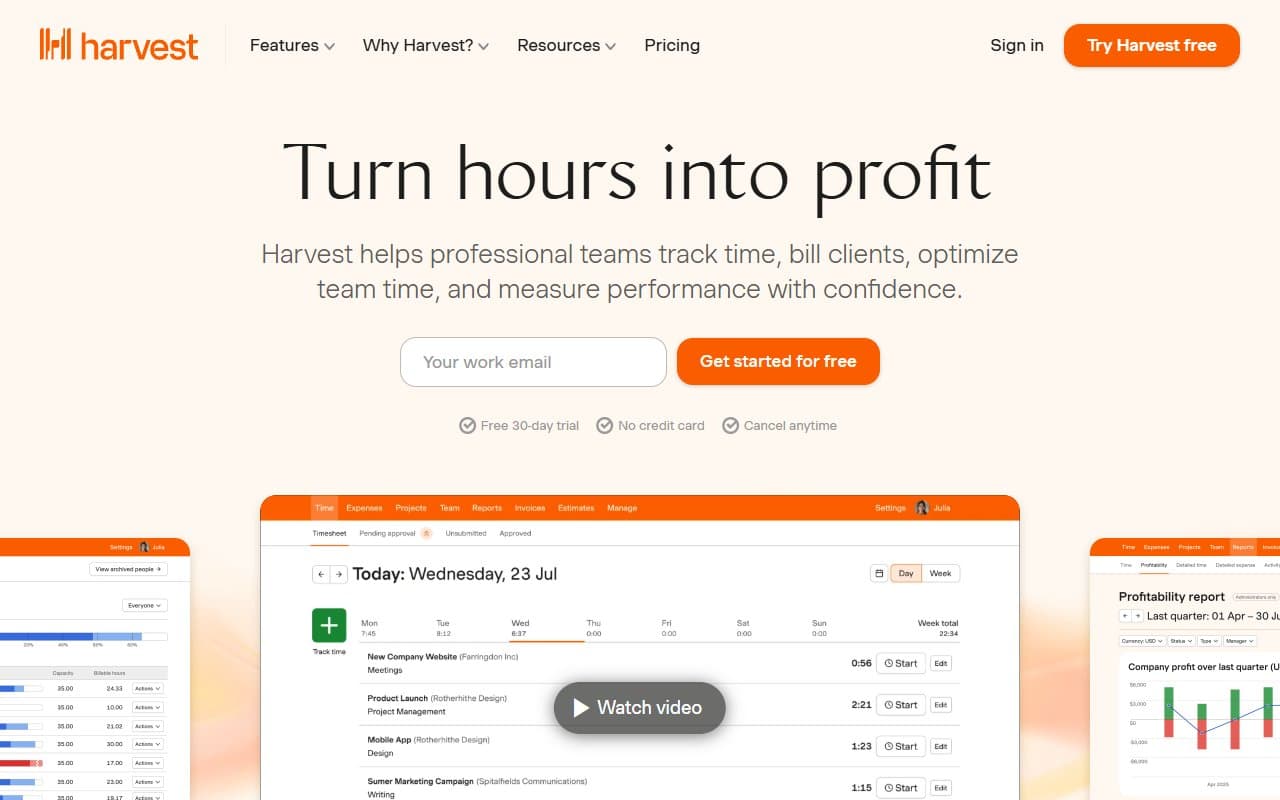
Harvest connects a timer to a billing system. Start the timer when you begin client work, stop it when you finish, and that time flows into an invoice you send directly from the platform. Clients pay online, which removes friction from getting money into your account.
You can log expenses against projects — useful if you bill clients for travel or software purchases. Team reporting shows who works on what and flags projects heading toward budget problems. It connects with Asana and Trello so your existing project data feeds into time tracking without duplication.
Pricing
Free plan: One seat, two active projects. Useful for testing or brand-new freelancers. The two-project limit fills up fast.
Pro plan: $11 per seat monthly (annual billing). Unlimited projects and clients, team reporting, invoicing tools. Choose this tier. For a 5-person team, you pay $55 monthly — less than one billable hour for most consultants. The time saved on invoices alone justifies the cost.
Watch the per-seat pricing as you grow. At 15 seats, monthly costs become meaningful. Harvest offers no team flat-rate option, which hurts growing agencies.
What Works
Invoice-to-payment takes four minutes. Approve tracked time, generate invoice, send it. Clients pay online. For businesses sending 10+ invoices monthly, this efficiency compounds.
Budget alerts prevent scope creep. When a project hits your threshold — say 80% of allocated hours — Harvest flags it immediately. Most time tracking tools bury this feature or make it clunky. Clockify handles basic budget tracking but lacks the alerting clarity. Harvest surfaces it clearly, preventing uncomfortable client conversations.
The mobile timer doesn't crash. Entries sync reliably between devices. You only appreciate this reliability after using tools that lose your data.
What Doesn't Work
Expense tracking is basic. You can log expenses, but functionality is limited compared to Expensify. Receipt capture works but feels clunky. If expense management is significant in your workflow, you'll hit the ceiling quickly. Harvest does enough to be passable, not enough to replace a proper expense tool.
Reporting lacks depth for larger teams. Team reports show hours and project progress clearly. They don't show profitability analysis that a 20-person agency needs — margin by client, utilization rates, revenue forecasting. You can export data to calculate this yourself, but that defeats the purpose.
How It Compares
Toggl Track costs less and tracks time cleanly, but invoicing is weaker. If you already use separate invoicing software and just need time capture, consider Toggl. If you want one tool for both, Harvest wins.
FreshBooks overlaps on invoicing but approaches from the accounting side rather than time tracking. FreshBooks serves freelance bookkeepers well. Agency project managers will find Harvest's project structure more intuitive.
The Verdict
Harvest is the clear choice for agencies, consultancies, and freelancers whose business model runs on billable hours. Time tracking is dependable, invoicing is fast, and budget alerts will save at least one client relationship yearly. Plan on pairing Harvest with another tool if you need sophisticated expense management or financial reporting — it has limits. If you don't bill by time, this tool offers nothing useful. For everyone else, the Pro plan at $11 per seat delivers straightforward value. Harvest does one job exceptionally well and doesn't pretend otherwise.
Common Questions
Does Harvest work for one-person businesses?
Yes. The free plan covers one seat and two projects at no cost. Once you regularly exceed two concurrent projects, upgrade to Pro at $11 monthly without hesitation.
Can clients pay invoices directly?
Yes. Harvest integrates with Stripe and PayPal. Clients receive invoices, click pay, money moves. Transaction fees are standard payment processor rates, not additional Harvest charges.
Does it track remote team hours well?
Yes. Each team member tracks time independently, you see consolidated reporting, and you can compare logged hours against project budgets in real time. It won't replace project management software, but provides clear visibility into hour allocation.
Does it integrate with accounting software?
It connects with QuickBooks Online and Xero, covering most small businesses. Invoices and payments sync across, reducing manual data entry that typically gets missed at month-end.