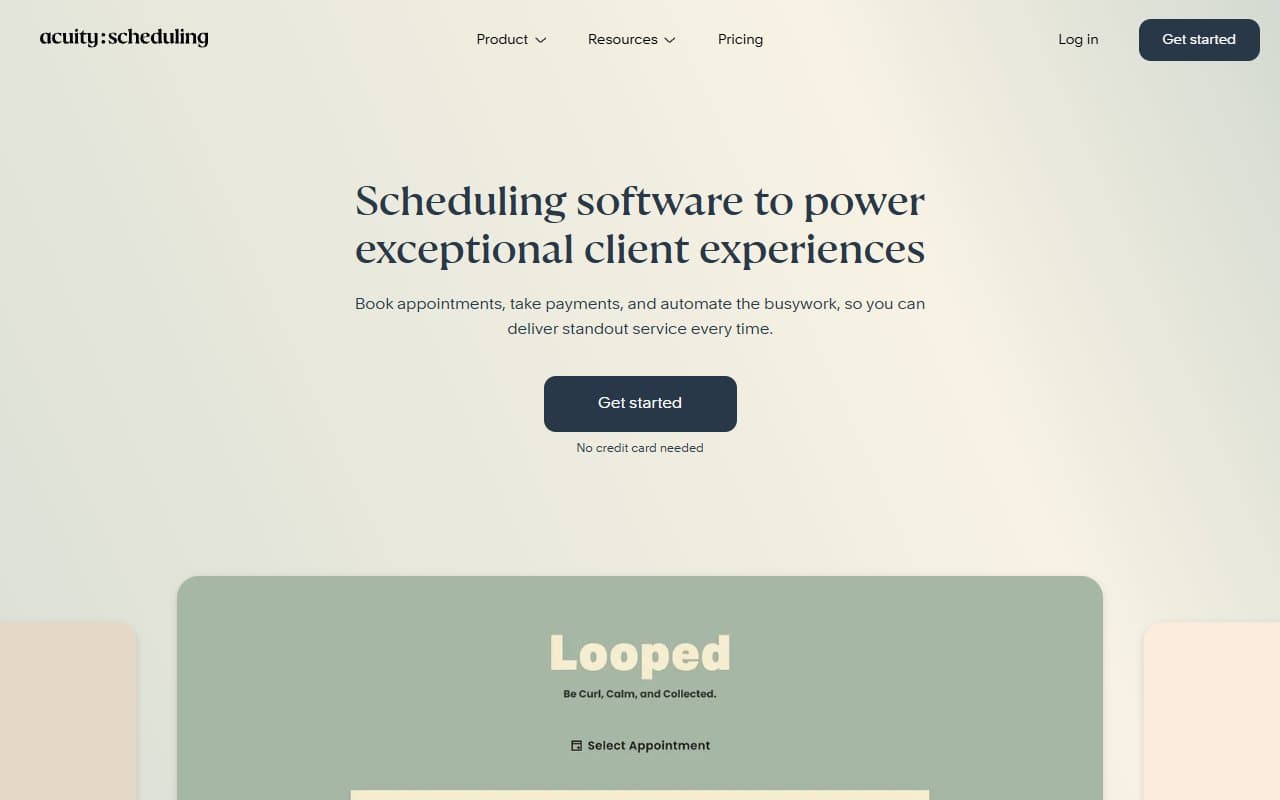
Who Should Use Acuity Scheduling
If you run a massage therapy clinic, personal training business, or hair salon, Acuity was built for you. The tool assumes you sell time in blocks, that clients need to book those blocks themselves, and that you want money collected before anyone shows up. A solo life coach managing 20 clients a week will see immediate value from day one.
A four-therapist wellness centre hits the sweet spot. You have enough moving parts — multiple staff calendars, different service lengths, clients who want to prepay for a package of sessions — that doing this manually costs you real hours every week. Acuity handles exactly that combination without requiring you to stitch together three different tools.
If you run a B2B software consultancy, a logistics company, or any business where scheduling happens internally between colleagues rather than with paying clients, move along. Acuity isn't trying to solve your problem, and it shows. It also makes little sense for businesses that never collect payment at booking — you'll be paying for capabilities you leave completely untouched.
What It Actually Does
Acuity gives your clients a booking page they can access from your website, a link in your email signature, or wherever you point them. They pick a service, choose a time slot that works for them, fill in whatever intake questions you've set up, and pay — all without you lifting a finger.
On your end, you see a clean calendar, get notified of new bookings, and can manage everything from rescheduling to refunds in one place. The intake form feature saves genuine time: you can ask new clients for health history, goals, or consent before their first appointment, which used to mean a clipboard in a waiting room. Packages and subscriptions let you sell five sessions upfront or bill someone monthly for ongoing access.
Pricing
Emerging ($20/month) — One staff calendar, unlimited services, payment collection, intake forms, and the core booking experience. For a solo practitioner, this covers everything you need. Genuinely good value at this price point and where most sole traders should start.
Growing ($34/month) — Adds multiple staff calendars, more customisation, and the ability to run packages and subscriptions. If you have two or more people taking bookings, choose this tier. It's the right pick for most small service businesses and worth every dollar of the price jump.
Powerhouse ($61/month) — Unlocks advanced reporting, custom API access, and priority support. The reporting alone justifies itself if you're managing a team and want visibility on booking patterns. For a business with five or more staff, it pays for itself. For a solo operator, it's overkill and bad value — skip it.
There's no free plan. That will frustrate some people, but the $20 entry tier is low enough that the trial period usually tells you whether this fits your workflow.
What Works Well
Intake forms that actually replace paperwork. The form builder lets you collect exactly what you need before a client arrives — health disclaimers, session goals, allergies. A new client arriving already on file saves roughly ten minutes per appointment, which adds up fast across a busy week.
Package and subscription sales work properly. This isn't a bolted-on afterthought. Clients can buy a block of sessions, and Acuity tracks remaining credits automatically. For coaches and wellness providers whose revenue depends on repeat bookings, this feature alone often pays for the subscription.
The booking experience works well on mobile. Clients booking from their phone — which is most of them — get a fast, straightforward experience. Fewer abandoned bookings means more revenue, and Acuity's client-facing flow beats most competitors in this space.
What Doesn't Work
Customisation hits a wall quickly. You can change colours and add your logo, but the booking page structure is rigid. If your brand presentation matters — think premium day spa or high-end coaching practice — the page looks generic regardless of how much you tweak it.
Reporting is weak below the top tier. The Growing plan gives you enough to run the business, but if you want to understand which services are your most profitable or when your peak booking times are, you need Powerhouse. For a $34/month plan, basic business analytics should be included.
How It Compares
Calendly is the obvious alternative, but it's built around meeting scheduling between professionals, not client-facing service bookings. Calendly doesn't do payment collection or packages in any meaningful way. If you're a coach whose clients are other businesses and you never charge at booking, Calendly is cheaper and simpler. If you collect payment, Acuity wins.
Square Appointments is worth considering if you're already using Square for in-person payments. The integration is genuinely convenient. Acuity pulls ahead on intake forms, subscriptions, and the overall flexibility of the booking flow.
The Verdict
If you run a health clinic, coaching practice, or beauty business with one to ten staff — use Acuity. The combination of booking, intake, and payment collection in a single tool eliminates the kind of administrative friction that quietly costs service businesses hours every week. Start on the Emerging plan, upgrade to Growing the moment you have a second person taking bookings.
If you run a B2B business where scheduling means internal meetings or client calls with no payment involved, use Calendly instead — it's cheaper and better suited to that use case. If you're already deep in the Square world, at least compare Square Appointments before committing.
Acuity does one thing — appointment management for service businesses — and does it better than almost anything else at this price point.
Common Questions
Does Acuity Scheduling work without a website?
Yes. Acuity gives you a standalone booking page with its own URL, which you can share directly with clients. You don't need a website to use it, though it integrates cleanly with Squarespace and several other platforms if you have one.
Can clients reschedule their own appointments?
They can, within rules you set. You control how far in advance rescheduling is allowed and whether it requires your approval. Most business owners set a 24-hour minimum, which handles the bulk of last-minute changes without creating chaos.
Does Acuity handle multiple staff members?
From the Growing plan upward, yes. Each staff member gets their own calendar and availability settings, and clients can book with a specific person or with whoever is available first. It's one of the stronger multi-staff implementations in this category.
Is there a free trial?
Acuity offers a seven-day free trial across all paid plans. That's enough time to set up your services, test the booking flow as a client, and connect your payment processor. Run through the full experience before your trial ends — don't just set it up and assume it works.