Who Should Use Expensify
Expensify was built for a five-person marketing consultancy where the team constantly expenses client lunches, software subscriptions, and travel. Or a 15-person construction firm where site managers buy materials on the road and receipts pile up in a shoebox every month. The tool makes sense when expenses are frequent, varied, and need approval before hitting the books.
A mid-sized professional services firm will get serious value from the corporate card management and accounting integrations. An accountancy practice or legal consultancy with junior staff billing expenses to client matters, especially when your team uses Xero or QuickBooks. Expensify stops being a standalone app and becomes part of your finance stack.
Where it fails: a sole trader who submits five receipts monthly, or a retail business whose staff never make purchases for the company. The tool is built around workflow and volume. Without volume, you pay — in time if not money — for complexity you do not need.
What It Actually Does
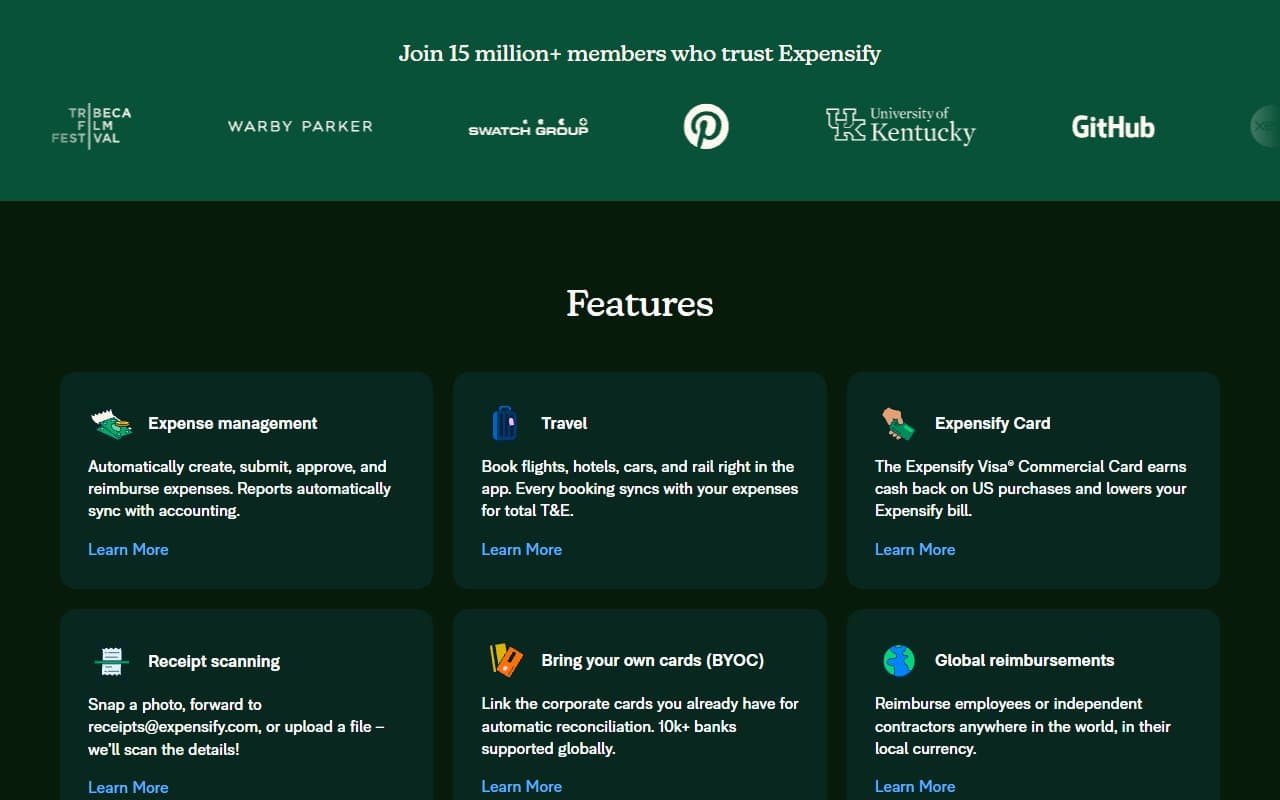
The mobile app is where your team will spend their time, and it works well. Not "good for accounting software" — actually good.
Pricing
Free plan gives you SmartScan for up to 25 receipts monthly. Most teams hit this ceiling in week one. Useful for testing, nothing more.
Collect ($5/user/month) is where small businesses belong. You get unlimited SmartScan, approval workflows, accounting integrations, and corporate card reconciliation. For a ten-person team, that is $50 monthly — less than one hour of your accountant's time. Pick this tier.
Control ($9/user/month) adds advanced approval hierarchies, custom coding, and stricter policy enforcement. If you have a finance team with compliance requirements, it pays for itself. Most businesses under 20 people should stick with Collect.
Pricing is per user, which stings if you have occasional expense submitters who use it twice yearly. No occasional-user pricing exists.
What Works Well
SmartScan works. The OCR accuracy is genuinely high. The tool reads crumpled receipts from petrol stations and faded thermal paper correctly. Most competing tools miss fields or require constant corrections. SmartScan gets it right roughly 90% of the time, which saves real minutes per receipt across hundreds of submissions.
The approval workflow is clean and fast. Setting up multi-step approval takes ten minutes. Once running, approvers get one notification, review everything in one screen, and approve with one tap. No email chains or Slack chasing.
Accounting integrations work properly. The QuickBooks and Xero connections map categories, sync in near real time, and handle two-way updates cleanly. After reviewing tools that promise integrations and deliver CSV exports, this one delivers.
What Does Not Work
The free plan is bait. Twenty-five receipts monthly sounds reasonable until one business trip burns through half your allowance. Expensify knows this. The free plan hooks you, not serves you.
It handles expenses, not payroll. If you want a tool that covers expenses and pays your staff, Expensify stops at reimbursement. You need separate payroll software, and connecting those tools requires setup work many owners do not anticipate.
How It Compares
Ramp is the direct competitor and worth considering if corporate card management is your primary pain. Ramp offers cards plus expense tracking with no per-user fee. Choose Ramp if cards are central. Choose Expensify if receipt capture and reimbursement workflow matter more.
Zoho Books costs less and integrates into the Zoho ecosystem. If you use Zoho CRM or Zoho Books, the integration alone makes it worth considering. Expensify beats it on mobile experience and SmartScan accuracy, which matters for field teams.
The Verdict
If you run a consultancy, professional services firm, or any business where staff regularly spend company money that needs tracking, approval, and reimbursement — buy Expensify at the Collect tier. The SmartScan accuracy alone justifies $5 per user monthly for most teams. Setup takes an afternoon, and the accounting integrations mean your bookkeeper stops receiving receipt photos via WhatsApp.
If you have five staff with expenses twice monthly, Zoho Expense costs less and does enough. If corporate cards are your main concern and you want one tool for everything, examine Ramp first.
Expensify does one thing — gets expenses from your team's pockets into your accounts cleanly — and does it better than almost anyone else.
Common Questions
Does Expensify work for very small teams?
It works but is not built for them. A two-person business submitting a handful of monthly expenses will find the free plan limiting and paid tiers hard to justify. Under five people with low expense volume, try Zoho Expense or a well-organized spreadsheet.
How long does setup take?
Most small businesses run within a day. Connecting accounting software, setting approval workflows, and inviting your team takes two to four hours. Corporate card connection takes longest, but Expensify's documentation is clear.
Is the mobile app good enough for field teams?
Yes, and this is Expensify's strength. The app works offline, syncs when reconnected, and SmartScan functions in poor lighting. Field teams — tradespeople, sales reps, site managers — rate it well because it was built phone-first.
Can Expensify replace my accountant?
No. Expensify captures, categorizes, and routes expenses. Your accountant reviews, reconciles, and handles anything requiring professional judgment. It replaces manual data entry and paper receipt chaos, freeing your accountant for actual accounting work instead of admin.