Who Should Use Opus Clip
If you run a podcast and your entire back catalogue sits on Spotify generating no new leads, Opus Clip was built for you. A solo consultant who records a 45-minute client webinar every month has weeks of short-form content locked inside those files. This tool unlocks it without requiring a video editor on payroll or three hours of your Saturday.
A 5-person marketing agency managing social accounts for clients will get the most value here. You're already producing long-form content — interviews, tutorials, product demos — and you're probably not clipping it at the rate you should. Opus Clip handles that gap without adding headcount.
It makes no sense if your business produces no long-form video at all. A local plumber who has never recorded anything longer than a 30-second Instagram reel has nothing to feed the tool. No content pipeline means no value here.
What It Actually Does
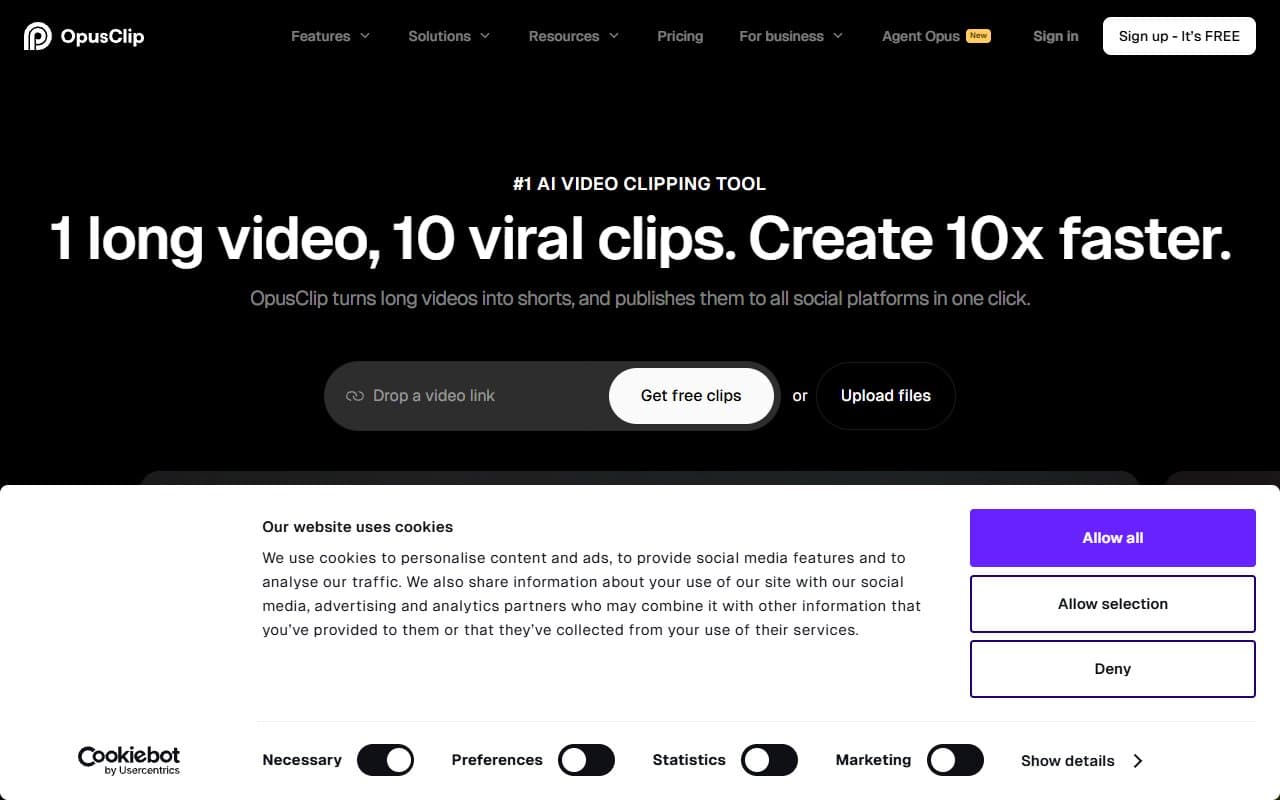
You upload a long video — a podcast recording, a webinar, a YouTube video — and Opus Clip watches it. Not you. It identifies the sections most likely to hold attention on short-form platforms, pulls them into standalone clips, adds captions automatically, and gives each clip a virality score so you know which ones to post first.
It also pulls in relevant b-roll footage using AI, which sounds gimmicky until you realise how much time sourcing b-roll actually eats. You export directly to the format each platform needs — vertical for TikTok and Reels, square for LinkedIn.
The whole process from upload to a folder of exportable clips takes 10 to 15 minutes depending on video length. You still review and tweak before posting — you should, anyway — but the heavy lifting is done.
Pricing
Free plan gives you 60 minutes of upload time per month and access to core clipping features. Captions are included, but b-roll insertion and multi-platform export are limited. For a business just testing whether this fits into a workflow, the free tier is genuinely useful rather than a crippled demo.
Start with the Starter plan ($19/month). This is where the tool opens up properly. You get more upload minutes, full caption customisation, and detailed virality scoring. For a solo creator or small team posting weekly, this tier covers most real-world needs without overpaying.
Pro ($49/month) adds team seats, higher upload limits, and priority processing. Move here only when you're consistently bumping against upload limits or need team features. If you're a single operator posting twice a week, it's more than you need.
What Works Well
The clip selection is genuinely smart. Most tools in this space apply a blunt algorithm that grabs moments by volume or keyword density. Opus Clip actually identifies narrative hooks — the moment someone says something surprising, shifts their argument, or lands a punchy conclusion. It won't replace editorial judgement, but it gets you 80% of the way there without touching the timeline.
Auto-captions that don't embarrass you. Caption accuracy on short-form content tools is usually terrible. Opus Clip's are clean enough that most clips need only minor corrections, not a full re-type. For businesses where the founder speaks clearly on camera, corrections take under two minutes per clip.
The virality score actually changes behaviour. It tells you which clips have the structural elements — strong opening, momentum, clear payoff — that tend to perform. Whether or not you trust the score, it forces you to think about why one clip is stronger than another.
What Does Not Work
B-roll insertion is inconsistent. The concept is sound — drop relevant footage behind a talking-head clip to add visual interest — but the matching logic makes odd choices often enough to require a review pass every time. It's a feature that saves time when it works and creates work when it doesn't. Treat it as a starting point, not a finished product.
Heavy accents and fast speakers cause problems. Caption accuracy drops noticeably when the speaker talks quickly or with a strong regional accent. For a business whose content features non-native English speakers or regional dialects, expect significantly more correction time.
How It Compares
Descript is the more capable tool if you need full transcript-based editing, multi-track audio control, and a complete post-production environment. Choose Descript if you're editing the content itself. Choose Opus Clip if the content is already finished and you need distribution clips fast.
Vidyo.ai covers similar ground at a slightly lower price point. It clips and captions adequately, but the virality scoring and b-roll features aren't as developed. Vidyo.ai works for simple clip extraction. Opus Clip works when you need clips that are actually worth posting.
Pictory takes a different approach, letting you build short videos from scripts or blog posts rather than existing footage. If you're starting from text rather than finished video, Pictory makes more sense.
The Verdict
If you produce any form of long-form video — podcasts, webinars, YouTube content, recorded workshops — and you're not consistently turning it into short-form clips, Opus Clip closes that gap faster than any tool at this price point. The free plan is enough to prove the value in an afternoon.
If your business produces no long-form content, look elsewhere — this tool has nothing to work with. If you need deep editorial control over your video production, Descript is the better fit. But if your problem is a backlog of good content that nobody is seeing, Opus Clip is the most direct solution available right now.
Common Questions
Does Opus Clip work with podcast audio only, or does it need video?
It needs video input to function properly. Audio-only files won't work. If your podcast is audio-only, you'll need a recorded video version — even a static branded image with audio laid over it — before Opus Clip can process it.
How many clips does it generate from one video?
Typically between 5 and 15 clips from a 45-60 minute video, depending on pacing and content density. You don't have to use all of them — the virality score helps you prioritise the two or three genuinely worth posting.
Is the free plan actually usable or just a demo?
It's genuinely usable for light volume. Sixty minutes of upload time per month covers one or two long-form videos. If you're uploading weekly, you'll hit the ceiling quickly and need to upgrade, but for testing the tool on real content, the free tier works.
Can multiple team members access the same account?
Team access requires the Pro plan. On Free and Starter, it's a single-user account. If you're a solo operator or the only person managing content, Starter is enough. Agencies or teams sharing clip libraries will need Pro.