Three months ago you launched new onboarding. Users still churn at the same rate. You want to know where they quit—but you never set up tracking to capture it. That data is gone forever.
Heap prevents this exact frustration by recording everything from day one, whether you asked for it or not.
Who Should Use Heap
A 10-person SaaS startup with one product manager gets more from Heap than any competing analytics tool at this price. You don't need a data analyst or engineer on standby. If your job is reducing churn, increasing activation, or discovering which features people actually use, Heap targets your specific problems.
UX researchers at agencies also benefit. Session replay and funnel analysis build compelling evidence for redesign recommendations without accessing client data infrastructure.
Skip Heap if you lack a digital product. Local accountants, wedding photographers, plumbers—Heap can't help. If you only want homepage visitor counts, Google Analytics 4 is free and faster.
What It Actually Does
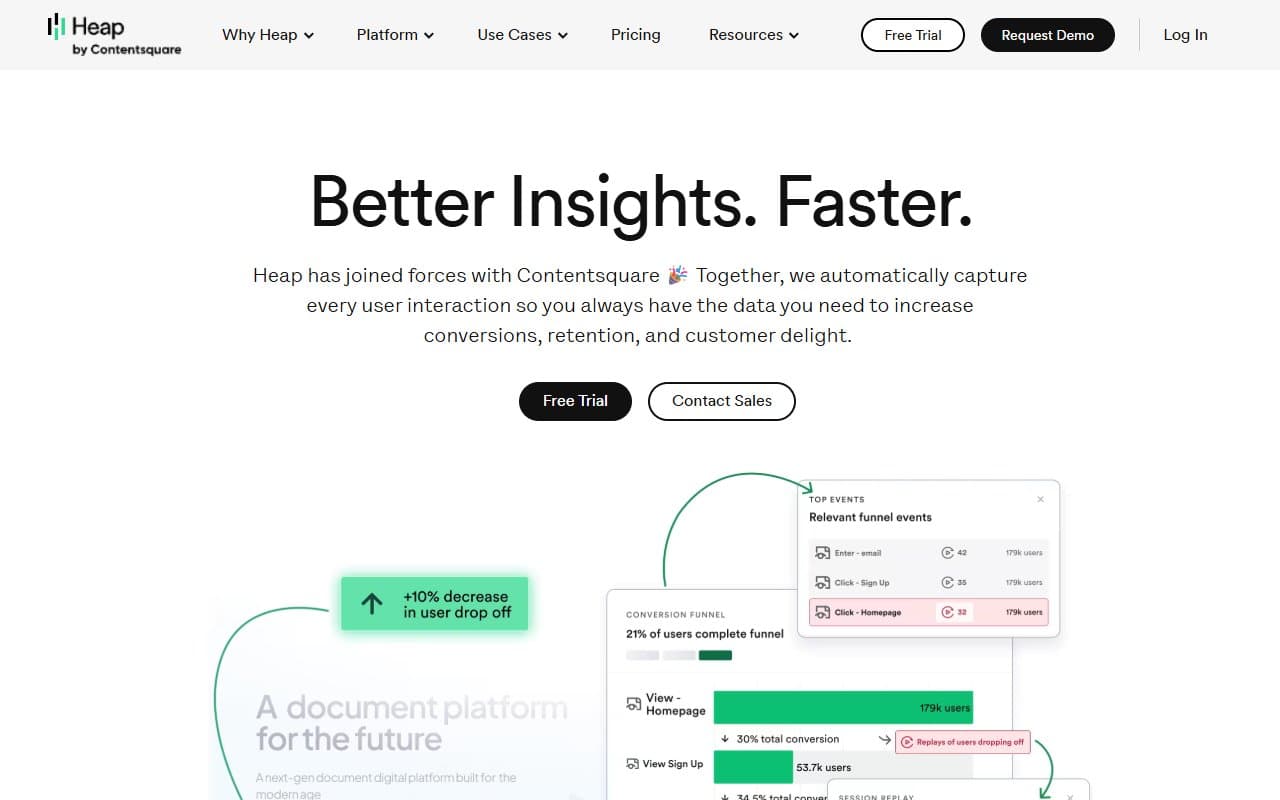
Heap records every user action—clicks, form fills, page visits—automatically. Most analytics tools require manual event tagging before recording anything. Heap captures first, you analyze later.
This distinction matters. Want to compare users who signed up six months ago versus last month? Most tools only show data from when you started tracking. Heap lets you analyze historical data retroactively.
Funnel analysis and session replay build on this foundation, showing both numbers and actual screen recordings of user struggles. It turns guesswork into clear insights without requiring statistics expertise.
Pricing
Free plan: 10,000 sessions monthly with basic event capture. Limited retroactive analysis and session replay. Evaluate the platform here, but don't expect this to work long-term with meaningful traffic.
Growth plan: Where Heap becomes useful. Custom pricing requires talking to sales—annoying—but unlocks full retroactive analysis, expanded session replay, and integrations. Target this tier for 1,000 to 20,000 monthly active users.
Enterprise: Adds governance, dedicated support, SSO. Skip unless legal already demands data access controls.
Forcing sales conversations before revealing mid-tier pricing wastes time. Small business owners need budget clarity upfront.
What Works Well
Retroactive analysis changes everything. Define a funnel today and populate it with months of historical data. Teams get answers in hours that would take weeks of setup elsewhere.
Session replay loads fast with precise filtering. Find specific user types quickly. Spot usability problems in minutes, not hours of scrubbing footage.
Setup takes minutes. One script tag starts data collection. Small teams without dedicated engineering get running immediately.
What Doesn't Work
Pricing opacity kills momentum. Small business owners shouldn't enter sales processes just to learn if they can afford Growth tier. It makes budgeting impossible until you're partially committed.
The interface demands patience. Heap's depth creates a learning curve. Building meaningful funnel analysis takes time, and documentation assumes analytical familiarity many founders lack.
How It Compares
Mixpanel offers cleaner visualizations and more polished dashboards. Choose Mixpanel if your team has tracking discipline and wants prettier reports. Choose Heap if retroactive analysis solves your actual problem—Mixpanel can't match it.
Hotjar focuses on session replay over quantitative analysis. Better if you primarily watch users struggle rather than run funnel analysis. For teams needing both, Heap's combination wins at this price.
The Verdict
If you run SaaS with a small team and have stared at churn spikes without knowing the cause, Heap solves a real problem most tools can't. Retroactive capture alone justifies evaluation time.
E-commerce brands tracking marketing attribution across ad channels should find purpose-built e-commerce tools—Heap will frustrate you. Founders and PMs who need to understand what users do inside products, not just arrival counts, should start the free plan this week. You'll find answers you didn't know to look for faster than you expect.
Common Questions
Does Heap work for non-technical founders?
Setup means pasting one code line—most non-technical founders manage this, or developers do it in ten minutes. Analysis has a learning curve, but you don't write code daily.
Is the free plan actually usable?
For very early-stage products with low traffic, yes. Once you have meaningful user volumes or want retroactive analysis beyond a few weeks, upgrade. Treat free as extended trial, not permanent solution.
How does Heap handle privacy and GDPR?
Heap excludes sensitive fields and supports data deletion requests. Review their data processing agreement before going live—non-optional with European users, regardless of tool choice.
Can I replace Google Analytics with Heap?
Only if traffic analysis matters less than product behavior analysis. Heap wasn't built for marketing analytics. Many teams run both—Google Analytics for acquisition, Heap for post-login behavior.