Who Should Use Ramp
A 10-person SaaS startup where three people have company cards and nobody knows what's being spent on software subscriptions — that's exactly who Ramp was built for. If you've reconciled expenses at month-end and found a $400 charge you couldn't explain, Ramp solves that specific problem. It gives you real-time visibility into every transaction, who made it, and what it was for.
A 20-person professional services firm managing client reimbursements and vendor payments will also benefit. The accounting sync alone — particularly with QuickBooks Online and Xero — removes admin work that usually eats a bookkeeper's Monday morning.
Skip Ramp if you're a sole trader or two-person operation where you handle all spending yourself. You don't need spend controls when you are the spend. Ramp earns its value through delegation and oversight.
What It Actually Does
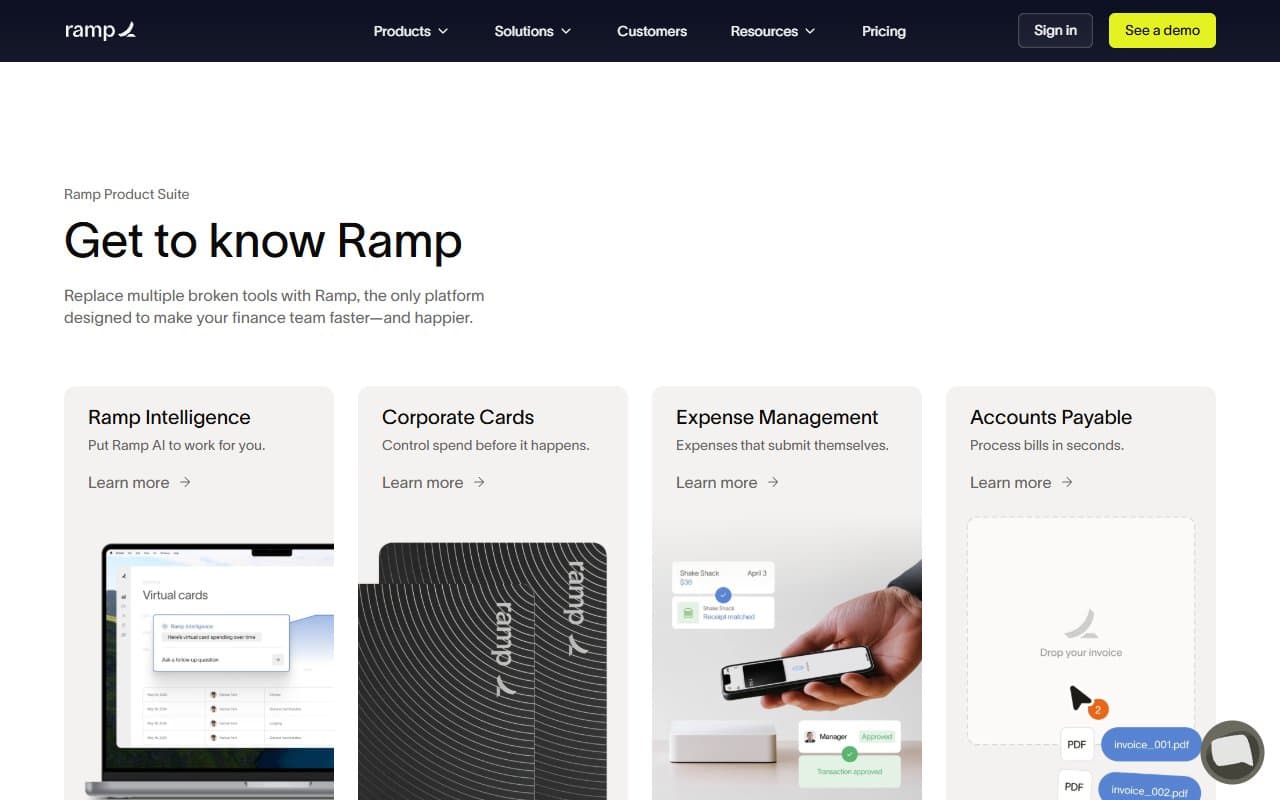
Ramp is a corporate card program that tracks what happens after the swipe. Every employee gets a card — physical or virtual — with limits you set in advance. When they spend, Ramp automatically matches the receipt, categorizes the transaction, and pushes it to your accounting software. No more chasing people for receipts two weeks later.
The savings insights feature catches what humans miss. Ramp scans your transactions and flags duplicate SaaS subscriptions, vendor price anomalies, and contracts up for renewal. One client found they were paying for five separate Zoom licenses across different team members' personal cards. That happens constantly in small businesses.
The controls layer lets finance managers breathe easier. You can restrict a card to specific merchants, set monthly caps, and require approvals over certain amounts — all before money leaves the account.
Pricing
Free Plan ($0/month): Corporate cards, receipt matching, spend controls, and accounting sync. For most small businesses, this is sufficient. The free plan isn't crippled to force an upgrade — it's a complete product.
Ramp Plus ($15/user/month): Adds advanced approval workflows, custom roles, and deeper reporting. A 15-person team spending significant time on manual approvals will recoup this cost in hours saved within the first month.
Ramp Enterprise (custom pricing): Built for larger organizations. If you're reading this review, you're probably not the target.
My recommendation: Start on the free plan and stay there longer than you expect. Upgrade to Plus only when your approval process becomes a bottleneck.
What Works Well
Receipt matching that actually works. Most expense tools claim automated receipt matching, then make you correct it half the time. Ramp's matching accuracy is noticeably better. Employees photograph a receipt, and it connects to the right transaction without drama.
Spend controls set before the fact. You can issue a virtual card with a $500 limit for a specific vendor, used once. You're not reviewing spending after it happens — you're shaping it before. That's a different relationship with money.
Accounting sync that doesn't break. The QuickBooks Online and Xero integrations are stable. Syncs run reliably, categorization carries over correctly, and your bookkeeper isn't fixing import errors on Friday. That sounds like a low bar, but many tools in this category fail it.
What Does Not Work
US-only infrastructure. Ramp works only for US businesses. If your team makes international purchases regularly, you'll hit friction — foreign transaction fees apply and multi-currency support is limited. For UK or European businesses, this isn't even a consideration.
Onboarding requires real effort. Getting every employee set up, cards issued, and limits configured takes time upfront. Ramp doesn't guide you through this particularly well. The documentation exists, but the setup experience is thin for what amounts to a significant operational change. Budget a proper half-day for implementation, not twenty minutes.
How It Compares
Brex targets similar businesses but leans into startups with venture backing and has better travel expense features. Choose Brex if international spending and travel management are priorities. Choose Ramp if you want better accounting integration and cleaner day-to-day controls.
Expensify handles expense reports well but is built around the reimbursement model rather than proactive spend controls. If you want employees paying personally and submitting claims, Expensify fits. If you want to stop that workflow entirely, Ramp is better.
The Verdict
If you run a business with five or more employees making purchases — on software, office supplies, or client lunches — Ramp removes financial chaos you've probably accepted as normal. The free plan isn't a trial; it's a working product. Start there, connect your accounting software, issue cards, and watch your month-end close get shorter.
Skip it if you're a sole trader, freelancer, or business where all spending runs through one person. Ramp's value multiplies with headcount and collapses without it.
If your main pain point is employee reimbursements rather than proactive controls, Expensify will feel more familiar and require less process change. For everyone else — businesses where "who spent what and why" is a monthly mystery — Ramp answers that question before you have to ask it.
Common Questions
Does Ramp work with QuickBooks Online?
Yes, and the integration is one of the better ones in this category. Transactions sync automatically with categories and receipts attached. Your bookkeeper will notice the difference.
Is Ramp free to use?
The core product — corporate cards, receipt matching, spend controls, and accounting sync — is free. No catch buried in the free tier that forces an upgrade for basic functionality. You pay for Ramp Plus only when you need advanced approval workflows.
Can I use Ramp if I'm not a US business?
No. Ramp requires a US business entity and bank account. International businesses should look at best accounting & finance tools depending on region.
How long does it take to set up Ramp?
Longer than you'd like. Expect a half-day to get cards issued, limits configured, and accounting connected properly. The payoff is fast, but don't treat setup as a quick task.