Most scheduling software is built for the person booking time. Reclaim.ai is one of the rare tools built for the person losing it.
Who Should Use Reclaim.ai
You recognise this: you run a five-person SaaS company while handling sales, product, and hiring. Your calendar is a public dumping ground. Everyone else's meetings land wherever they fit. Your actual work — the thinking, writing, building — gets squeezed into 7pm gaps. Reclaim.ai exists for this exact situation.
It also works for remote teams of ten to thirty people who adopted async culture in theory but still live in wall-to-wall video calls. The team scheduling features find overlap without back-and-forth emails, and habit blocking marks your team's deep work as busy before anyone schedules over it.
It fails completely for client-facing businesses that need appointment booking — consultants, therapists, trade contractors booking jobs. Reclaim.ai is not Calendly. It doesn't give clients a link to book time with you. If that's your primary need, you're looking at the wrong tool.
What It Actually Does
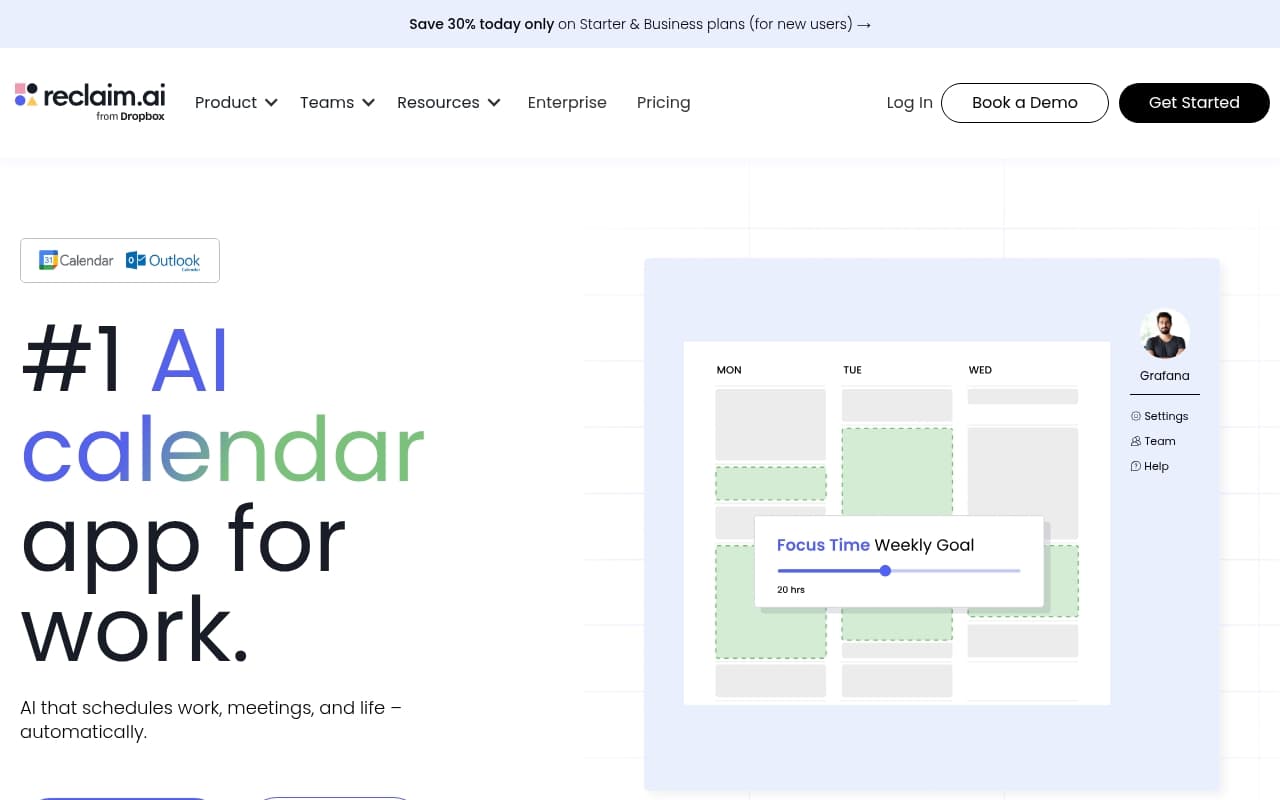
Connect Reclaim.ai to Google Calendar and tell it two things: when you want focused work time, and what habits you want protected — daily reviews, lunch breaks, weekly planning. From that point, Reclaim fights for that time. When meetings get scheduled, it moves your focus blocks to the next available slot rather than deleting them.
Drop tasks into it with time estimates. Reclaim finds room for a two-hour project block before its deadline without you touching the calendar. The Slack integration updates your status automatically — when you're in a focus block, you appear unavailable.
Honest summary: it's a calendar bodyguard that automates the defensive work most people do manually and badly. It won't book clients, manage projects, or replace your task manager. But for protecting your time and coordinating with a small team, it works.
Pricing
Free plan: Habit blocking and basic smart scheduling for one person. Genuinely useful for solo testing, but you hit limits fast — team features and task time-boxing require payment.
Starter at $10/month: Where most small business owners should land. Full task scheduling, habit protection, Slack integration. For solo founders or small team leads, this delivers the tool's core value.
Business at $15/month per user: Team scheduling features, coordinated focus time across your whole team, meeting cost analytics. If you have five or more people using it, the coordination features justify the per-seat cost. Below five people, stick with Starter.
What Works Well
Habit protection that sticks. Most calendar blocking fails because blocks get deleted when someone requests a meeting. Reclaim reschedules them instead of surrendering them. After two weeks, your lunch breaks and end-of-day reviews actually happen.
Task time-boxing without manual effort. Give it a task, duration, and deadline. It finds the time. The template library alone saves about two hours weekly for anyone managing recurring work backlogs, because you stop manually hunting calendar gaps every morning.
Slack status sync works quietly and well. Sounds small. It's not. When your team sees you're heads-down without you announcing it constantly, interruption rates drop noticeably.
What Doesn't Work
Google Calendar or nothing. Outlook users, Microsoft 365 shops, anyone on Apple Calendar gets locked out completely. For a tool targeting small businesses, this gap has persisted long enough to be a deliberate product decision, not a roadmap oversight.
Task prioritisation logic is opaque. You set deadlines and durations, but Reclaim's scheduling decisions aren't always obvious. With competing priorities and a tight week, you may find it made sensible-looking choices that ignore your actual priorities — with no clear way to understand its reasoning.
How It Compares
Motion combines task management and calendar scheduling more deeply than Reclaim, making it more capable but considerably more complex to set up. Choose Motion if you want one tool to replace both your task manager and calendar defence. Choose Reclaim if you already have a task manager you like and just want smarter calendar protection at lower per-seat cost.
Clockwise targets similar problems but focuses harder on team meeting coordination. If coordinating meeting times across a fifteen-person team is your main pain, Clockwise has an edge. For individual focus time protection, Reclaim wins.
The Verdict
If you run on Google Calendar, work in knowledge-heavy roles, and find your actual work constantly displaced by other people's scheduling requests, Reclaim.ai delivers measurable returns within two weeks. Starter at $10 is fair value. Business makes sense once you have a team using it together.
If you need client-facing booking, get Calendly. If you want deeper task management integration and don't mind steeper setup, evaluate Motion. If you're on Outlook, Reclaim doesn't apply.
The tool does one job — protecting your calendar from entropy — and does it better than most alternatives at this price.
Common Questions
Does Reclaim.ai work with Outlook or Microsoft 365?
No. Google Calendar only. This is a hard requirement, not a feature gap they're fixing. If your business runs Microsoft 365, you need a different tool.
Can clients book appointments through Reclaim.ai?
No. Reclaim.ai manages your calendar; it doesn't provide booking pages for external people. For client appointments, use Calendly or TidyCal.
Will it move meetings that other people scheduled?
No. Reclaim.ai works around existing meetings and protects your blocks. It cannot reschedule meetings others own. It defends your personal time, not your team's diary.
Is the free plan actually useful or just a trial?
Genuinely useful for single users wanting habit blocking and basic focus time protection. Tasks, team features, and deeper scheduling require paid plans. If you work alone and keep things simple, the free plan runs indefinitely without feeling crippled.