Who Should Use GetResponse
If you sell courses or coaching, GetResponse was built for you. Email sequences, landing pages, and webinar hosting let you run an entire launch — opt-in page to live event to follow-up — without duct-taping four separate tools together. A solo coach doing monthly group programs gets more value here than from tools costing twice as much.
Small e-commerce owners fit well too. The ads integration connects your email audience to Facebook and Google campaigns inside the platform. When you're a two-person team, switching between tools costs real time. GetResponse handles abandoned cart emails, product recommendations, and post-purchase flows without requiring a developer.
It doesn't fit larger teams needing real CRM — tracking deals, managing pipelines, logging calls. If your sales process involves multiple reps following up on leads over weeks, this will frustrate you. It's built for marketing, not sales operations.
What It Does
GetResponse sends the right message to the right person at the right time, without manual work every time.
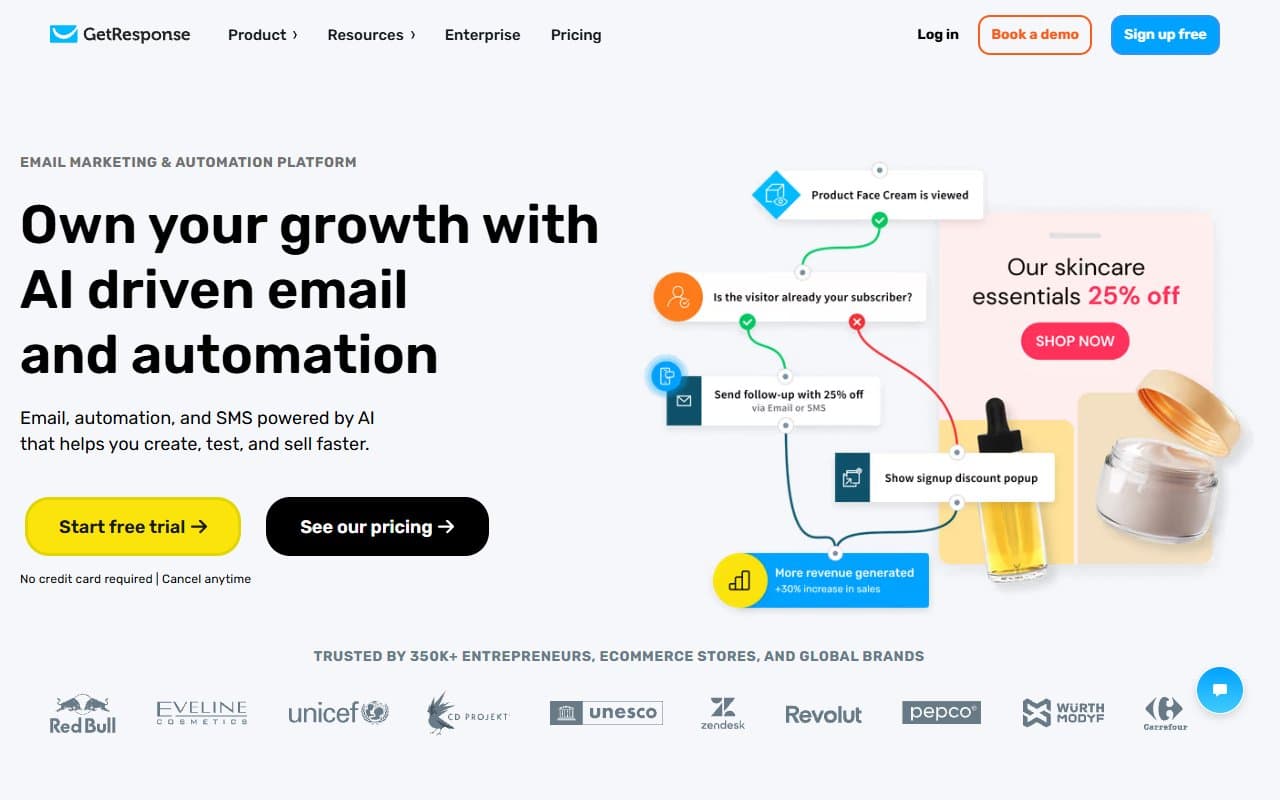
You build contact lists, design emails with drag-and-drop, and set up automated sequences that trigger based on actions — opening emails, clicking links, buying products, visiting pages. It hosts landing pages so you don't need a separate tool to capture email addresses. Webinars are built in, which is rare at this price.
The AI email generator writes draft copy from prompts. Treat it as a first draft, not finished copy. Everything connects inside the platform, which sounds basic but makes a real difference daily.
Pricing
Free plan — 500 contacts, email sending, website builder, basic signup forms. No automation, landing pages, or webinars. Useful for testing, but you'll outgrow it quickly running an actual business.
Email Marketing ($15.58/month for 1,000 contacts) — Unlocks automation, landing pages, and AI tools. Right tier for most solo operators and small businesses starting out.
Marketing Automation ($48.38/month) — Adds event-based automation, webinars for 100 attendees, and advanced segmentation. If webinars are part of your sales process, this pays for itself — standalone webinar tools cost more alone. Most growing small businesses should land here.
E-commerce Marketing ($97.58/month) — Adds abandoned cart recovery, promo codes, product recommendations, and web push notifications. Worth it if your store does real volume. Overpriced if you're just starting.
What Works
The automation builder makes sense. Most automation tools require a computer science degree. GetResponse's visual workflow builder is one of the cleaner implementations at this price — you can build multi-step onboarding sequences in under an hour without watching tutorials first.
Webinars included, period. Most platforms charge separately for webinar software. GetResponse bakes it into Marketing Automation, and it works well enough for most use cases — registration pages, reminders, and post-event sequences connect automatically. For coaches running group calls or educators launching courses, this alone justifies the upgrade.
Landing pages that don't embarrass you. The template library covers standard use cases — lead magnets, sales pages, event registrations — and designs are clean enough to use without heavy customization. Good output for time invested.
What Doesn't Work
The CRM is pathetic. GetResponse has contact management, but calling it a CRM is generous. You can tag contacts and segment lists, but tracking sales conversations, logging notes, or managing pipelines with multiple team members hits the ceiling immediately. This isn't a missing feature — it's a badly marketed one.
Deliverability needs babysitting. In testing, deliverability was solid but not best-in-class. If your list is older or less engaged, you'll need to actively warm it up and clean it regularly. GetResponse doesn't guide newer users through this well enough, and poor deliverability stays invisible until your open rates collapse.
How It Compares
Mailchimp has name recognition but frustrates small businesses — feature-gated at every turn, with painful pricing jumps as lists grow. GetResponse delivers more automation capability at lower cost. Choose Mailchimp only if you need specific integrations or your team already knows it.
ActiveCampaign is better if sales pipeline management matters. The CRM works, automation goes deeper, and it scales further. It also costs more and takes longer to learn. If you're primarily marketing rather than running a sales-led business, GetResponse is the smarter spend.
ConvertKit targets creators and is cleaner to use, but lacks webinars and has weaker e-commerce features. For pure email newsletters it competes well. For anything more complex, GetResponse wins.
The Verdict
If you run online education, coaching, or small e-commerce — and want one platform handling email, automation, landing pages, and webinars — GetResponse is the most complete package at this price. Start on Email Marketing to learn the system, then move to Marketing Automation once webinars become part of your sales process. That move will save you $40–$60 monthly versus running separate webinar tools.
If you need a real CRM alongside marketing, skip this and get ActiveCampaign. If you're a content creator sending newsletters, Kit is simpler and more pleasant.
For coaches, course creators, and lean e-commerce teams, GetResponse earns its place as the workhorse in your marketing stack.
Common Questions
Is GetResponse good for beginners?
Yes, with a caveat. Core email and landing page tools are accessible to anyone. The automation builder has a small learning curve, but GetResponse's templates and onboarding are better than most. Expect an afternoon to get your first sequence running properly.
Does GetResponse work for e-commerce?
It connects with Shopify, WooCommerce, and Magento. Higher-tier plans include abandoned cart emails and product recommendations. For small-to-medium stores it handles essentials well. Very large catalogs or complex multi-channel setups need something purpose-built.
How does the free plan hold up?
It's real enough to evaluate the platform, but too restricted to run an actual business. The 500-contact limit and no automation mean most people upgrade within the first month. Think extended free trial, not sustainable free tier.
Can I run webinars through GetResponse?
Yes, and it works better than expected from a bundled feature. Marketing Automation supports 100 attendees, registration pages, and automated follow-up emails. For most coaches and educators that's sufficient. If you regularly host 500-plus people events, get a dedicated webinar platform.