Who Should Use Durable
You've been putting off building a website for eight months. Every option costs too much, requires a developer, or eats a Saturday you don't have. That's the gap Durable fills. A sole-trader electrician, a mobile dog groomer, a freelance bookkeeper — anyone who needs a credible web presence without treating it as a second job.
It also works for small service businesses that need light client management. If you're a three-person landscaping company juggling quote requests, follow-ups, and invoices across a spreadsheet and a notes app, having those tools in the same dashboard as your website saves you 20 minutes on a Tuesday afternoon.
Don't use Durable if you sell physical products online, need booking systems with complex availability rules, or want a site your developer can customise at the code level. It's a closed platform.
What It Actually Does
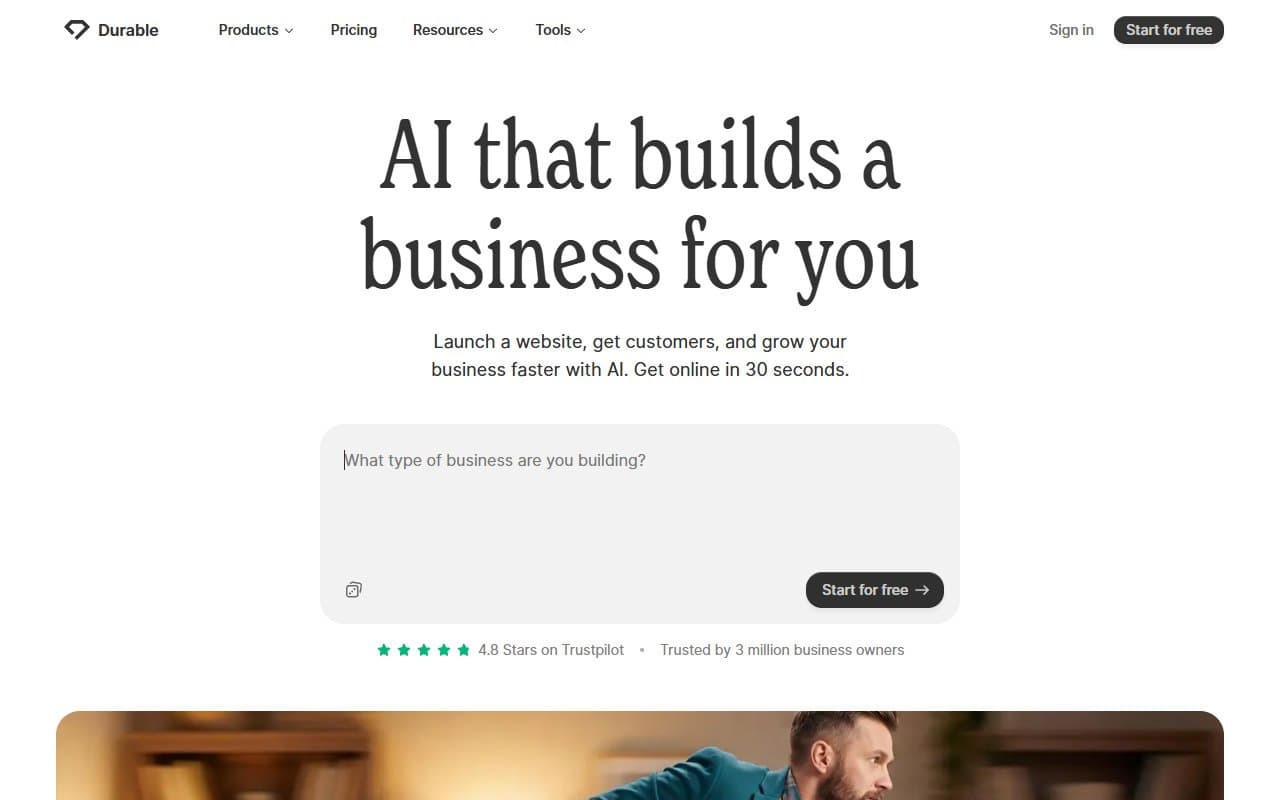
You answer a few questions about your business — what you do, where you're based, what you want the site to say — and Durable generates a complete website in 30 seconds. Not a skeleton. An actual site with copy, layout, images, and contact forms. You then edit what you don't like through a straightforward drag-and-adjust interface.
You also get a CRM to track leads and clients, invoicing tools, an SEO panel that walks you through the basics without burying you in terminology, and a blog builder. None of these tools individually beat dedicated alternatives — the CRM won't replace HubSpot CRM, the invoicing won't replace FreshBooks — but having them connected to your website in one login is the point.
Pricing
Starter — $15/month. You get the website, basic SEO tools, and the CRM. The invoicing features are crippled at this tier. If billing clients is part of your weekly routine, you'll hit the limitations immediately. For someone who purely needs a web presence and lead capture, this works. For anyone running an active service business, it's frustrating.
Business — $25/month. Buy this tier. Full invoicing unlocks here, the SEO tools expand meaningfully, and you get the blog builder without restrictions. At $25 monthly, you're replacing what might otherwise be a website subscription, separate invoicing tool, and basic CRM — potentially saving $40 to $60 monthly. The maths works.
No free plan exists, which will put people off. Given the 30-second setup, a free trial would make more sense.
What Works Well
The generation speed is 30 seconds. That's not marketing copy — it's accurate. The output doesn't look like a 2014 template. The copy is specific enough to your business type that most users will change two or three lines rather than rewrite everything.
The dashboard saves context-switching time. Moving from a client enquiry in the CRM to drafting an invoice to checking whether your contact page is indexed — doing all of that in one tab, without logging into three separate services, saves about 30 minutes weekly for a busy solopreneur.
The SEO tools are appropriately simple. Durable doesn't try to turn you into an SEO specialist. It surfaces what actually moves the needle for a local business — page titles, meta descriptions, location signals — and explains them clearly. For a trades business trying to rank in their town, that's the right level of guidance.
What Does Not Work
E-commerce is broken. Want to sell anything online — products, packages, gift vouchers? Durable will frustrate you within an hour. The limitations aren't minor quirks; they're structural gaps that make online selling essentially impossible.
Design flexibility hits a wall fast. The initial output looks clean, but when you want to move beyond the generated layout, the editor fights you. Compared to Squarespace or Wix, the customisation options are narrow. If your brand has specific visual requirements, you'll spend more time wrestling the platform than building your site.
How It Compares
Squarespace gives you significantly more design control and functional e-commerce, starting around $16/month. Choose Squarespace if visual polish matters or you plan to sell anything online. Choose Durable if speed of setup and built-in business tools matter more than pixel-perfect design.
Wix offers broader templates, more apps, more flexibility. But that flexibility comes with complexity. Wix takes longer to set up and longer to manage. If you want something running this afternoon, Durable wins.
The Verdict
If you run a local service business — consultancy, trade, solo creative practice — and your current website situation is "I keep meaning to sort that," Durable solves the problem. Buy the Business tier at $25/month, spend an hour customising what the generator produces, and you'll have a functional site with CRM and invoicing live before lunch.
If you need to sell products online, handle complex bookings, or want a developer to get under the hood later, use Squarespace or commission a proper web build. Durable doesn't pretend to be those things.
It's not the most capable website platform available, but it's honest about what it's for — and for a certain type of small business owner, that clarity makes it worth the money.
Common Questions
Does Durable work without any technical knowledge?
Yes. You don't need to know anything about hosting, domains, or web design. The setup process asks questions in plain English and handles everything behind the scenes. You can be up and running faster than it takes to read this review.
Can I use my own domain name with Durable?
Yes. You can connect a domain you already own or purchase one through Durable directly. This is straightforward — just follow the in-platform instructions.
Is Durable good for SEO?
For local service businesses, the built-in SEO tools cover what actually matters — title tags, meta descriptions, and local signals. You won't outrank a competitor with a dedicated SEO budget, but you'll be properly indexed and visible for relevant local searches. For more comprehensive SEO needs, consider Surfer SEO or other dedicated SEO tools.
What happens to my site if I cancel?
Your site goes offline. Durable doesn't offer an export option that lets you take your site elsewhere, which is a legitimate lock-in concern worth knowing before you build anything significant on the platform.