Who Should Use Databox
A 5-person marketing agency juggling Google Ads, HubSpot, Facebook, and Shopify for four different clients is exactly who Databox was built for. Right now, someone on your team is pulling numbers from each platform manually, pasting them into a deck, and praying nothing changed between Tuesday and Thursday. Databox eliminates that entirely. You connect your sources once, build a dashboard, and the numbers update themselves.
If you're an in-house marketing team at a 20-person e-commerce brand, Databox earns its place the moment your CEO asks "how did last month go?" and you can share a live link instead of a stale PDF. The same applies to freelance consultants who need to report results to clients without spending half their billable hours formatting slides.
Databox struggles outside marketing and sales. Operations managers looking to build complex cross-department reports with data transformations, or finance teams who want to run actual analysis against raw data, will hit a ceiling fast. This is a reporting tool, not a data warehouse.
What It Actually Does
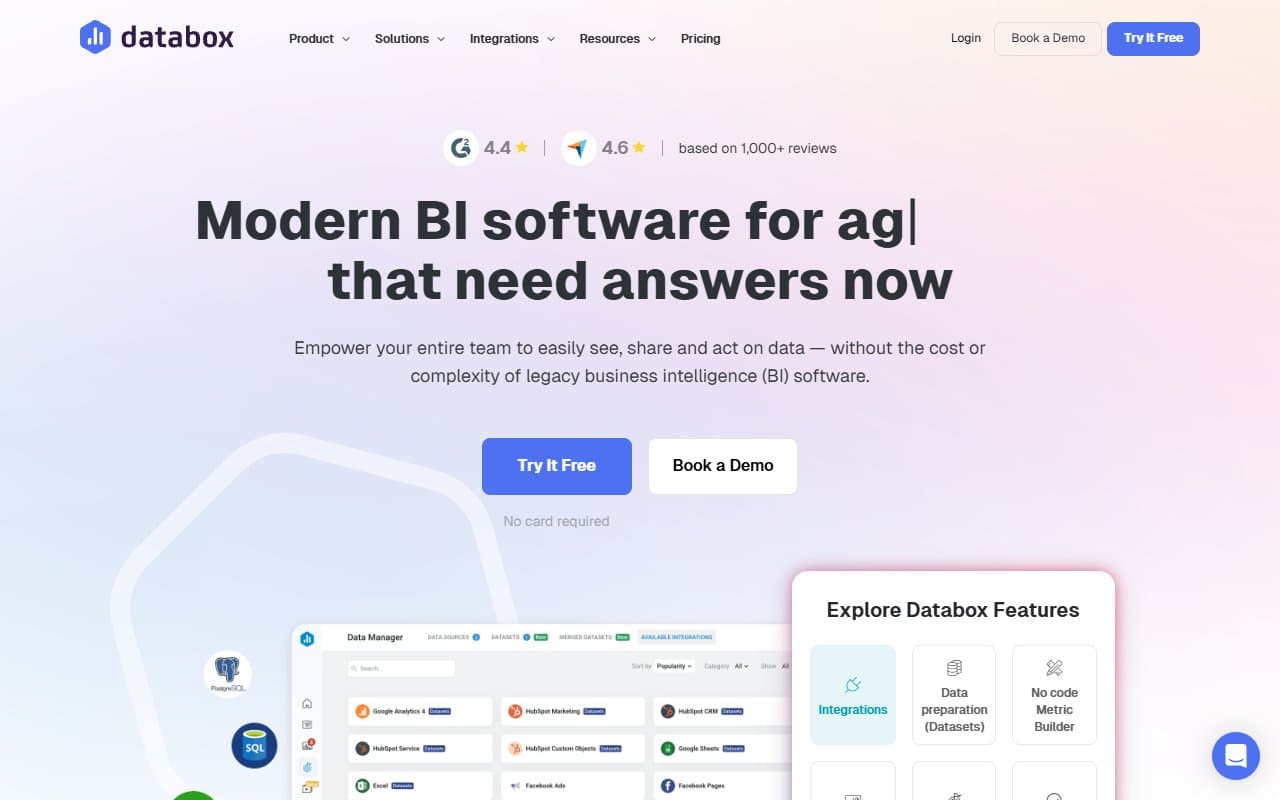
Databox pulls metrics from every platform your business uses — Google Analytics, Stripe, Mailchimp, LinkedIn — and displays them on one screen, updated automatically. You connect your tools through integrations (there are over 100), choose which numbers matter, and arrange them on a dashboard the way you want.
You can set goals — 500 leads by end of quarter — and Databox tracks your progress in real time. It alerts you if a KPI drops below a threshold you set, which means you find out about problems before your Monday morning meeting rather than during it. Automated reports let you schedule a summary to land in your inbox or your client's inbox every week without you touching anything. The whole thing runs in a browser.
Pricing
Free plan gives you three data source connections and three dashboards. Useful for a solo operator who just wants to consolidate their top metrics from Google Analytics and one other source. Don't expect to run a client-facing operation on this tier — three connections disappear fast.
Starter ($47/month) is where most small businesses should start. For a 3-person team, it pays for itself in hours saved within the first month.
Professional ($135/month) adds more users, more data sources, and better historical data access. If you're a growing agency billing multiple clients, this is where you land. The price is fair for what you get.
Growth and beyond get into enterprise pricing territory. For a business under 50 people, you probably won't need it and the jump in cost is hard to justify.
What Works Well
The template library is a genuine time-saver. Pre-built dashboards for Google Ads, HubSpot, Shopify, and others mean you're not starting from a blank canvas. Most teams are looking at something useful within an hour of signing up, not days later.
KPI alerts actually work the way you'd want. Set a threshold, get notified when you breach it. Simple in theory, but many tools get this wrong with laggy updates or false positives. Databox's alerts are reliable enough that you can trust them without checking manually — which is the only reason to have alerts in the first place.
Client reporting goes from painful to automatic. For agencies, the ability to schedule white-labelled reports that send themselves every Monday morning is worth the subscription fee alone. Your clients look informed, your team saves two to three hours weekly, and nobody's reformatting slides at 11pm.
What Does Not Work
You cannot do anything meaningful with raw data. There's no SQL access, no custom calculations beyond basic formulas, and no way to blend data sources in complex ways. If you need to combine sales data with operational costs to get a real margin picture, Databox will frustrate you. It shows you data; it does not help you interrogate it.
The free tier is marketing, not a working tool. Three data sources sounds reasonable until you realise most businesses have five before they even think hard about it. The free plan converts you to paid; it doesn't serve you. That's fine as a business model, but go in with clear eyes.
How It Compares
Looker Studio is free and more flexible, but you will spend real hours building and maintaining it. Databox wins on setup speed and ongoing automation. If your team has a dedicated analyst who enjoys building things, Looker Studio costs less. If nobody wants to own a dashboard project, Databox is worth paying for.
Klipfolio targets a similar audience and is comparably priced. Databox has better pre-built integrations and a cleaner interface. Klipfolio offers more customisation for users who want it. If you care more about getting something working quickly than having control over every detail, Databox is the better starting point.
The Verdict
If you're a marketing agency owner watching your team spend Friday afternoons pulling numbers for client reports, Databox pays for itself inside the first month. The Starter tier covers most small agencies, and the automation alone recovers more hours per week than most tools twice the price. If you're a solo consultant with one or two clients, the free plan deserves a trial before you commit.
If you need to do real data analysis — not just display numbers but actually dig into them — go to Looker Studio or invest in something like Metabase instead. Databox is a visibility tool, not an analytics engine.
The businesses that get frustrated with Databox bought it expecting something it never claimed to be. Used for what it's designed for — keeping your team and your clients informed without manual effort — it's one of the most practical tools in this category.
Databox does one thing well: it makes sure you know your numbers.
Common Questions
Is Databox's free plan actually usable for a real business?
For a solo freelancer tracking metrics from two or three sources, yes. For anyone managing multiple clients or running a team, you'll outgrow it almost immediately. Think of the free plan as an extended trial rather than a permanent option.
How long does it take to set up Databox?
Most users have a working dashboard within a couple of hours using the pre-built templates. Building something fully custom takes longer, but you're rarely starting from scratch. The integrations connect quickly — usually a few clicks and an account login.
Does Databox work for non-marketing data like sales or finance?
It has Salesforce and Stripe integrations, so basic sales and revenue tracking is possible. Pure finance reporting — P&L analysis, cost breakdowns, forecasting — is outside what Databox does well. Stick to metrics your marketing and sales teams care about.
Can clients see Databox dashboards without paying for extra seats?
Yes. You can share a dashboard via a public link or a password-protected link without the client needing a Databox account. This is one of the practical features for agencies billing clients who want regular visibility without the admin overhead.