Who Should Use Klipfolio
A 10-person marketing agency juggling Google Ads, HubSpot, and Meta performance data for six different clients gets immediate, obvious value here. The white-label reporting alone saves three hours a week you'd otherwise spend reformatting exported CSVs into something that doesn't embarrass you in client meetings. That time costs real salary money.
Operations managers at companies with 15 to 50 employees are the other natural fit. If your team tracks fulfilment rates, support ticket volumes, and revenue targets across different platforms, Klipfolio lets you see all of it in one place without hiring someone to build you a custom solution. Finance teams running weekly KPI reviews will find the goal-tracking features particularly useful — you can set a target, watch progress in real time, and stop waiting until Friday's report to discover you've missed it.
If you run a solo consulting practice or a two-person e-commerce shop pulling data from just one source, this tool is overkill. The platform's strength is complexity management. Without complexity to manage, you're paying for a sports car to drive to the corner shop.
What It Actually Does
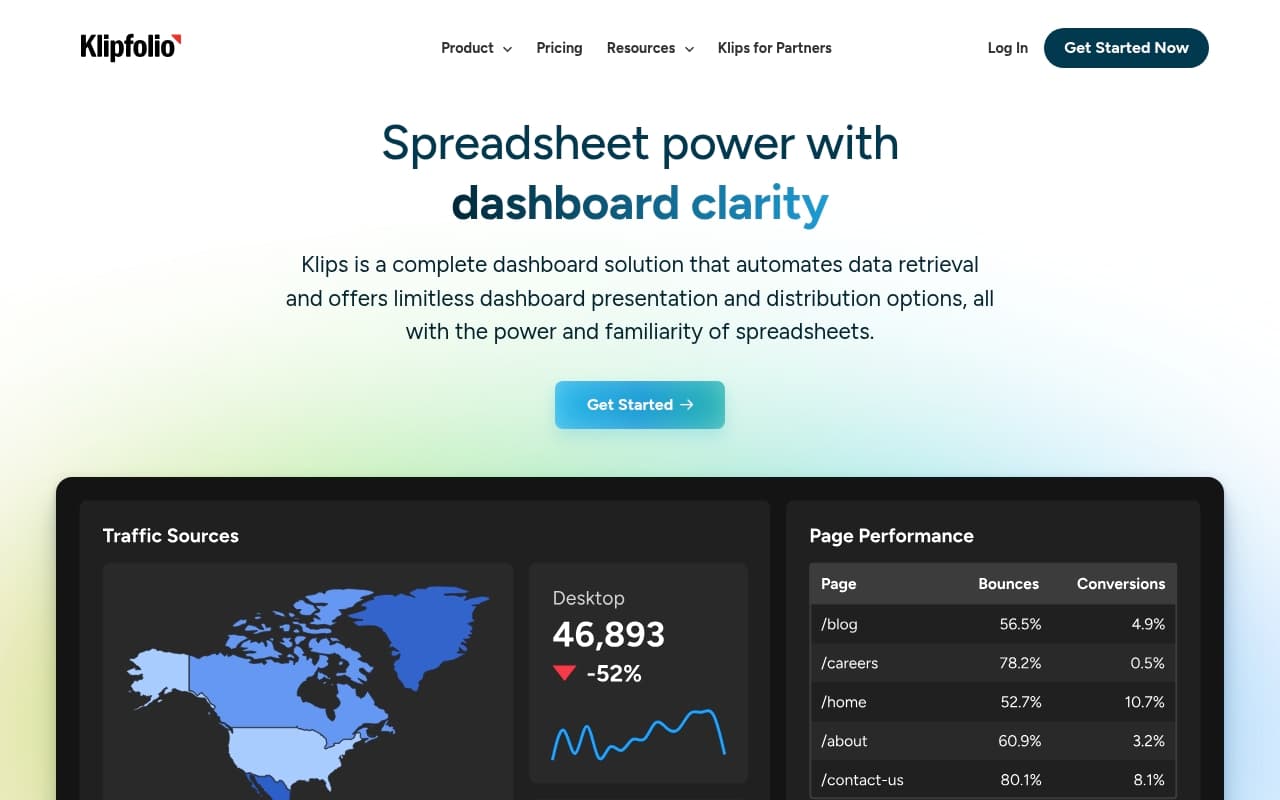
Klipfolio connects to your data — your ad platforms, your CRM, your accounting software, your spreadsheets — and displays it all on a live dashboard you can actually share with your team. Think of it as the control room for your business numbers.
You build dashboards from a library of pre-made metrics, or you create your own. Each widget updates automatically, so the number you see reflects what's happening right now, not what happened when someone last hit export. You can set goals against those metrics, so there's a visual indicator showing whether you're on track or heading toward a difficult conversation.
For agencies, the white-label feature lets you give clients their own branded reporting portal. They log in, see their numbers, and stop emailing you asking how the campaign is going. That alone justifies a significant portion of the monthly cost for most agencies. The learning curve exists — plan for a proper setup day — but once it's configured, non-technical team members can navigate it without your help.
Pricing
Klipfolio starts at $90 per month, which gets you dashboard functionality and access to the data connector library. For a single team with moderate needs, this tier offers reasonable value — you're replacing a patchwork of manual reporting processes that probably cost more in staff time.
Higher tiers, which add white-label capabilities and additional user seats, push into the $200–$300+ per month range depending on your configuration. For a marketing agency billing clients monthly, this math works. For a small internal ops team that just wants cleaner visibility into one or two metrics, it starts feeling expensive. No free plan exists and no meaningful free trial lets you test your specific data connections before committing.
Start with the base plan, then upgrade only once you've confirmed the white-label or multi-user features are genuinely necessary. Don't buy for features you're speculating you'll need.
What Works Well
The data connector library is genuinely broad. With over 100 integrations covering everything from Shopify to QuickBooks to LinkedIn Ads, you're unlikely to hit a dead end with a mainstream platform. Most competitors at this price point offer half this coverage.
The metric library shortens setup significantly. Rather than building every dashboard widget from scratch, you pull from pre-built metrics that are already configured for common use cases. For a new user, this is the difference between a two-hour setup and a two-day project.
White-label client reporting is polished. The output looks professional without requiring design work on your end. Clients receive something that looks considered, which matters when you're defending your retainer.
What Does Not Work
The pricing structure punishes small teams. No entry-level option exists for a business owner who wants personal dashboard access without paying for infrastructure designed for agencies. At $90 per month minimum with no free tier, you're making a financial commitment before you know whether the tool fits your workflow.
The initial setup requires real patience. Connecting your first few data sources and configuring dashboards that actually reflect your business isn't an afternoon job. The interface is logical once learned, but the learning itself takes longer than the marketing suggests. If your team has no one with moderate comfort for software configuration, expect frustration in the first two weeks.
How It Compares
Google Looker Studio is free and fine if your data lives inside the Google ecosystem. The moment you need to pull from a CRM, an ad platform outside Google, or your accounting software simultaneously, its limitations become obvious. Klipfolio handles multi-source complexity without requiring you to become a data engineer.
Databox targets a similar audience and starts cheaper. It's easier to set up and better for smaller teams, but the depth of customisation doesn't match Klipfolio. If you need white-label client reporting or complex goal hierarchies, Klipfolio wins. If you want something running in an afternoon, Databox is the more honest recommendation.
The Verdict
If you run a marketing agency managing reporting for multiple clients, Klipfolio pays for itself within the first month — the white-label reporting and multi-source dashboards eliminate enough manual work to justify the cost without a spreadsheet to prove it. If you lead an operations or finance team that needs live visibility across five or more data sources, the goal-tracking and real-time updates will change how your Monday meetings run.
If you're a small business pulling data from one or two sources, use Databox or start with Looker Studio and save the money. Klipfolio rewards complexity. Simple setups don't give it room to show what it can do.
At $90 per month with a meaningful setup investment required, this is a serious tool for businesses serious about their data — not a casual purchase, and not the right fit for everyone, but genuinely excellent when matched to the right operation.
Common Questions
Does Klipfolio work without technical staff?
It depends on your setup. Connecting data sources and building initial dashboards requires comfort with software configuration — not coding, but not point-and-click simple either. Once it's set up, everyday use is accessible to non-technical team members.
Is there a free trial?
Klipfolio does not offer a permanent free plan. Trial availability varies, so check their site directly before budgeting. Given the setup investment required, push for a trial period long enough to actually connect your real data sources.
Can clients see their own dashboards?
Yes. The white-label feature lets you create branded client-facing portals. Clients get their own login and see only their data. This is one of Klipfolio's strongest features for agencies and the primary reason many businesses choose it over cheaper alternatives.
How long does setup realistically take?
For a business with three to five data sources and a few custom dashboards, expect a full day of focused setup work. Some configurations take longer. The metric library shortens this considerably, but don't plan to be fully operational the same afternoon you sign up.