Who Should Use Cal.com
A five-person marketing agency booking client discovery calls daily will find Cal.com hits a sweet spot that Calendly never quite reaches: round-robin scheduling across team members, collective booking where multiple hosts join a single call, and workflow automations that fire reminders without you touching anything. If your team books more than 20-30 meetings a week, the time savings compound fast.
Privacy-focused businesses have a genuine reason to be here. Cal.com is open-source, which means a developer can self-host the entire platform on your own infrastructure. Legal firms, financial advisers, and consultants working under NDA agreements will appreciate that no meeting data needs to live on a third-party server unless you want it to.
Cal.com struggles with solo operators who just need something running in ten minutes. A freelance photographer who wants to add a booking link to their website before noon will find the initial configuration more demanding than expected.
What It Actually Does
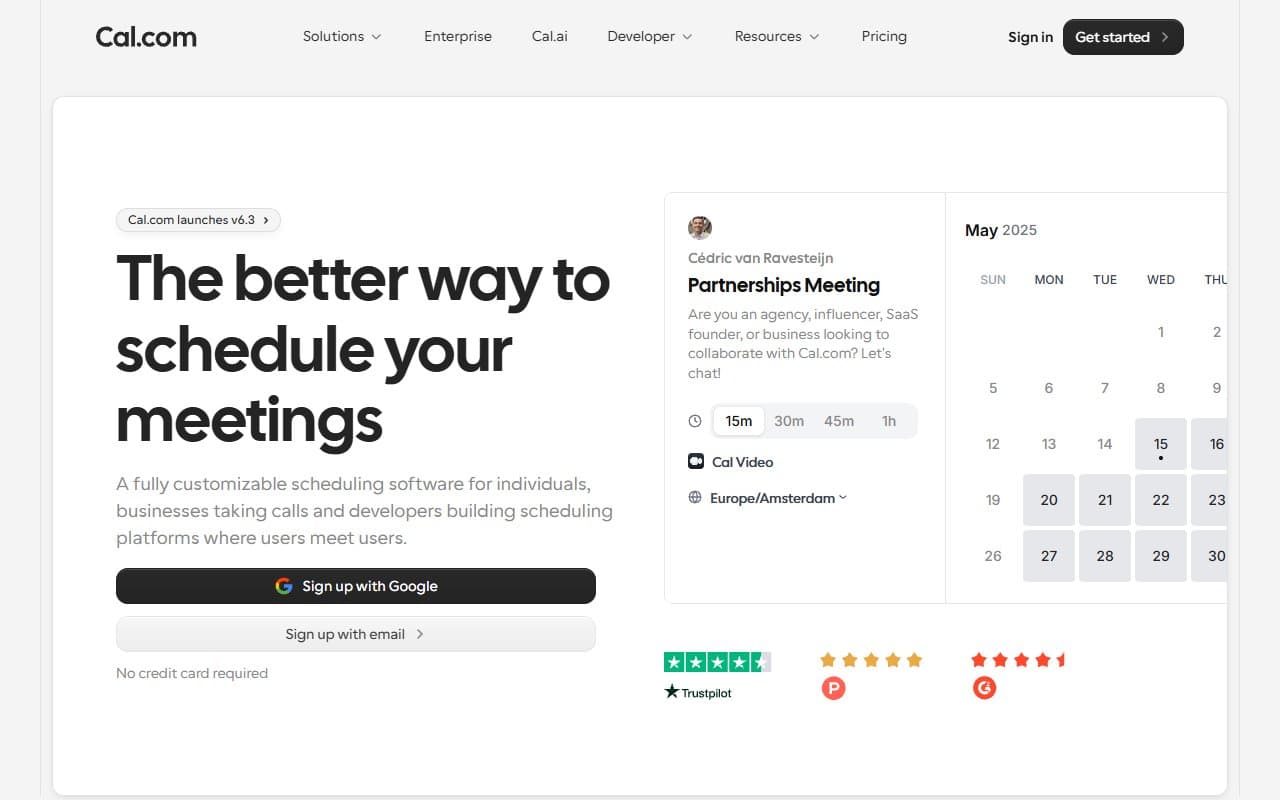
Cal.com is a scheduling tool. People visit your booking page, see when you're free, and pick a slot. Your calendar syncs — Google, Outlook, iCloud — so double bookings don't happen. You build different "event types": a 15-minute intro call, a 60-minute consultation, a group webinar with limited seats. When someone books, automated workflows send confirmation emails, reminders, and follow-ups without you lifting a finger.
The round-robin feature distributes bookings across your team automatically. A client books a call, and Cal.com assigns the team member with the most availability, or distributes bookings equally across your staff. For agencies managing multiple client accounts, you can white-label the booking pages so it all looks like your brand rather than a third-party tool.
Pricing
Free plan gives you unlimited one-on-one bookings, calendar sync, and basic event types. For a solo operator testing the tool, it works. You hit the ceiling quickly though — no workflow automations, no team features, limited customisation.
Teams plan at $15/user/month is where most growing businesses should land. You get round-robin scheduling, collective bookings, workflow automations, and routing forms. For a five-person team, that is $75 a month. Compared to Calendly's equivalent tier, you pay slightly less for meaningfully more flexibility.
Enterprise pricing is custom and aimed at larger organisations. Unless you have specific compliance or integration requirements, you don't need to enquire.
What Works Well
Round-robin booking actually works. Some tools advertise this feature and deliver something half-baked. Cal.com's implementation assigns meetings based on real availability and handles equal distribution reliably.
The workflow automations save real hours. Once configured, automated SMS and email sequences run without supervision. For a business running 30+ booked calls a week, eliminating manual reminder messages pays for the subscription.
White-labelling is clean and convincing. The custom booking pages look polished. Clients booking through an agency's branded link have no idea Cal.com is involved, which matters when you're selling a premium service.
What Doesn't Work
Setup demands patience non-technical owners don't have. The initial configuration — connecting calendars, building event types, setting up workflows — takes longer than it should. The interface has improved, but compared to Calendly's onboarding experience, Cal.com still feels like it was designed by engineers for engineers. You will spend two to three hours getting everything running correctly.
HIPAA compliance is not available. Healthcare providers, therapists, and any business operating under strict data regulations cannot use Cal.com for regulated workflows. This is not a soft limitation — it is a hard wall.
How It Compares
Calendly remains the easiest scheduling tool to set up. If you need something running today with no technical friction, Calendly wins. Cal.com beats it on price at scale, team features, and data control.
Acuity Scheduling suits service businesses that need intake forms and payment collection built into the booking flow. Cal.com handles payments but Acuity's client management depth is stronger for appointment-heavy businesses like salons or coaches.
SavvyCal targets individuals who want more respectful, flexible booking experiences for one-on-one meetings. Cal.com is the better choice the moment you need team scheduling.
The Verdict
If you run an agency, a dev shop, or any team-based business making dozens of bookings weekly — use Cal.com. The Teams plan delivers automation, fair distribution, and clean branding at a price that's hard to argue with. If you're a solo operator who wants a booking link working before lunch with zero configuration headaches — use Calendly instead and revisit Cal.com when your needs grow. If you operate in healthcare or any regulated sector requiring HIPAA compliance, this tool cannot help you.
Cal.com is not the easiest scheduling tool, but it's the most capable one at this price point.
Common Questions
Does Cal.com work without a developer?
Yes, the hosted version requires no technical knowledge to use at a basic level. However, the features that make Cal.com genuinely worthwhile — automations, routing forms, custom workflows — take meaningful configuration time. Expect a learning curve.
Is the free plan actually useful or just a teaser?
It's genuinely useful for a solo operator with simple needs. Unlimited one-on-one bookings with calendar sync is a complete product for many freelancers. You'll outgrow it the moment you need team features or automations.
Can I use Cal.com to replace my current scheduling tool quickly?
If you're switching from Calendly, the core concepts transfer directly. Allow half a day to rebuild your event types and workflows properly. Rushing this is how you end up with broken reminders and missed bookings.
Is self-hosting worth it for a small business?
Probably not unless you have a developer on staff or strong privacy requirements. The hosted version is reliable and covers 95% of small business needs. Self-hosting is meaningful operational overhead for marginal benefit most SMBs don't actually need.