Who Should Use Vista Social
Most social media tools were built by people who have never watched a one-star Yelp review kill a Saturday night. Vista Social was not. Review management sits at the center, not bolted on as an afterthought.
A three-location restaurant group fits perfectly here. You post daily specials, manage Instagram and Facebook, and monitor review platforms because one bad review on a slow Tuesday haunts you for months. Vista Social handles all of that without switching tools — saving two to three hours weekly once you master the setup.
Independent retailers and service businesses work well too. A boutique with two staff members needs software that works, stays affordable, and runs without a dedicated marketing hire. Vista Social fills exactly that gap.
B2B companies selling to other businesses should look elsewhere. The review management angle means nothing to you.
What It Does
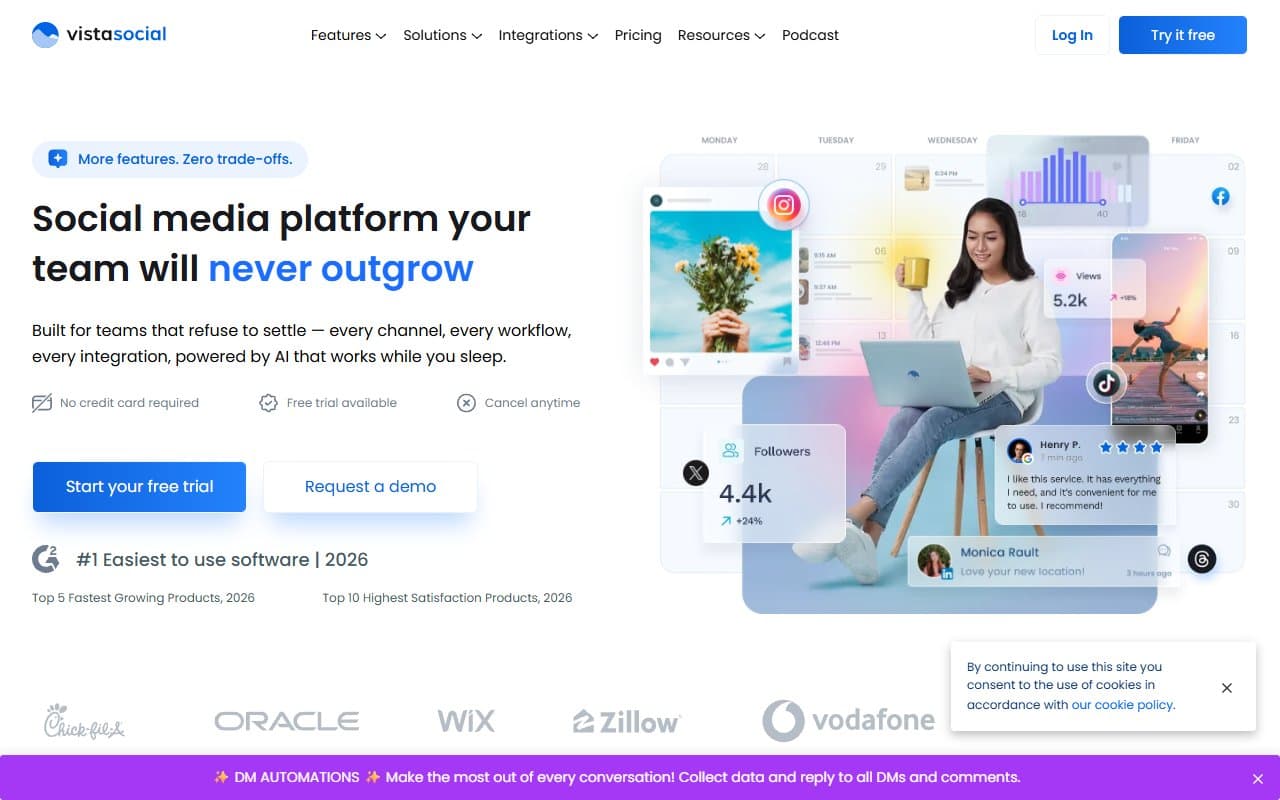
One dashboard. Write a post, schedule it across Instagram, Facebook, TikTok, and LinkedIn, then jump over to see your latest Google and Facebook reviews — and reply — without opening a new tab.
Scheduling works like most modern tools: write content, pick platforms, choose timing. The built-in content writer helps when you stare at a blank box Wednesday morning with nothing to say. Analytics shows what performed well, though not deeply. The engagement inbox pulls comments and messages from connected profiles into one place. Review management monitors your platforms and lets you respond directly.
For local businesses, that last feature justifies the subscription alone.
Pricing
Free plan: Three social profiles, basic scheduling, limited review tools. Fine for testing. Too restrictive for real business use.
Pro ($39/month): Eight profiles, full review management, engagement inbox, proper analytics. Start here. Most small businesses never need more.
Pro Plus ($79/month): More profiles, more users, advanced reporting. Buy this if you manage multiple locations or share the account with a team. Skip it if you work solo.
Enterprise: Custom pricing for agencies. Irrelevant to most readers.
What Works
Review management centralizes everything. Most competitors treat reviews as a separate product you pay extra for. Vista Social folds it into the main workflow. Responding to a Google review takes thirty seconds instead of the usual three-tab shuffle. When reputation drives revenue, this matters.
The engagement inbox catches missed messages. Comments and DMs across platforms land in one inbox. The number of small businesses that miss customer questions because they forgot to check Instagram is embarrassing. One inbox fixes this.
Scheduling stays fast without dumbing down. The interface is clean enough for non-technical team members to learn in under an hour, but keeps useful functionality. You can fine-tune posts per platform without starting from scratch each time.
What Fails
Analytics hit a ceiling fast. You get reach, engagement, follower growth — the basics. Want to understand why something performed well or build a proper monthly report? You will export to spreadsheets anyway. Businesses serious about data need something else.
The AI content writer produces generic drafts. It generates text quickly, but the output reads like every other brand's feed. Plan to rewrite everything it produces. Treat it as a starting point, not a publishing shortcut, or your content will suffer.
How It Compares
Buffer costs less at entry level and offers cleaner design, but has no review management. If reviews do not matter to your business, Buffer wins. If they do, Vista Social wins completely.
Hootsuite covers similar ground but charges significantly more and feels built for enterprise teams. For a ten-person retail business, Hootsuite's pricing makes no sense when Vista Social does 80% of the job at one-third the cost.
Birdeye specializes in review management and goes deeper than Vista Social. If reviews dominate your focus and social scheduling ranks second, Birdeye justifies the higher price. Most small businesses need both equally — Vista Social's territory.
The Verdict
Local businesses where Google reviews affect foot traffic should buy Vista Social Pro at $39/month. It solves two problems in one subscription instead of juggling three free tools.
Businesses without review presence — B2B companies, purely online operations, or anyone whose customers simply do not leave reviews — should skip this. The main differentiator disappears and Buffer becomes more cost-effective.
Vista Social's value lies in the combination. Remove the review angle and it becomes a good-but-not-exceptional scheduling tool in a crowded field.
For local businesses, the $39/month pays for itself in time saved on review responses within two weeks.
Common Questions
Does Vista Social work for multiple locations?
Yes. You can manage separate profiles for each location and monitor all reviews from one dashboard. The Pro Plus plan makes sense once you manage more than two locations.
Can I manage Google reviews inside Vista Social?
Yes. Connect your Google Business Profile to monitor and reply to Google reviews directly inside the platform. This feature separates Vista Social from standard scheduling tools.
Is the free plan worth using long-term?
For solo operations just starting, yes for testing. The three-profile limit becomes restrictive quickly, and you miss the full review management value until you upgrade.
How long does setup take?
Most users connect and schedule within an hour. Adding review platforms takes another thirty minutes. One of the faster onboarding experiences in this category.