Scheduling a week of social posts should not require a spreadsheet, three browser tabs, and a mild existential crisis. Yet that is where most small business owners land when their social media tool charges per profile, hides analytics behind enterprise pricing, or makes bulk uploading feel like filing taxes.
Who Should Use Publer
Photographers and visual creatives should sign up for the Instagram grid planner alone. You see exactly how your feed looks before posting and drag-and-drop your way to a cohesive aesthetic. The watermarking feature sends your branded images out consistently without touching Photoshop every time.
E-commerce brands running seasonal campaigns will find bulk scheduling genuinely useful. Upload a month of content in one session, assign it across platforms, attach UTM parameters to every link, and walk away. This is what the tool actually lets you do in a single workflow.
Small agencies managing five to twenty client accounts sit in Publer's sweet spot. The multi-workspace structure keeps client content separated. Collaboration features let clients approve content without accessing everything else. If you are a freelance social media manager scaling past your first few clients, this is the infrastructure upgrade you need.
What It Does
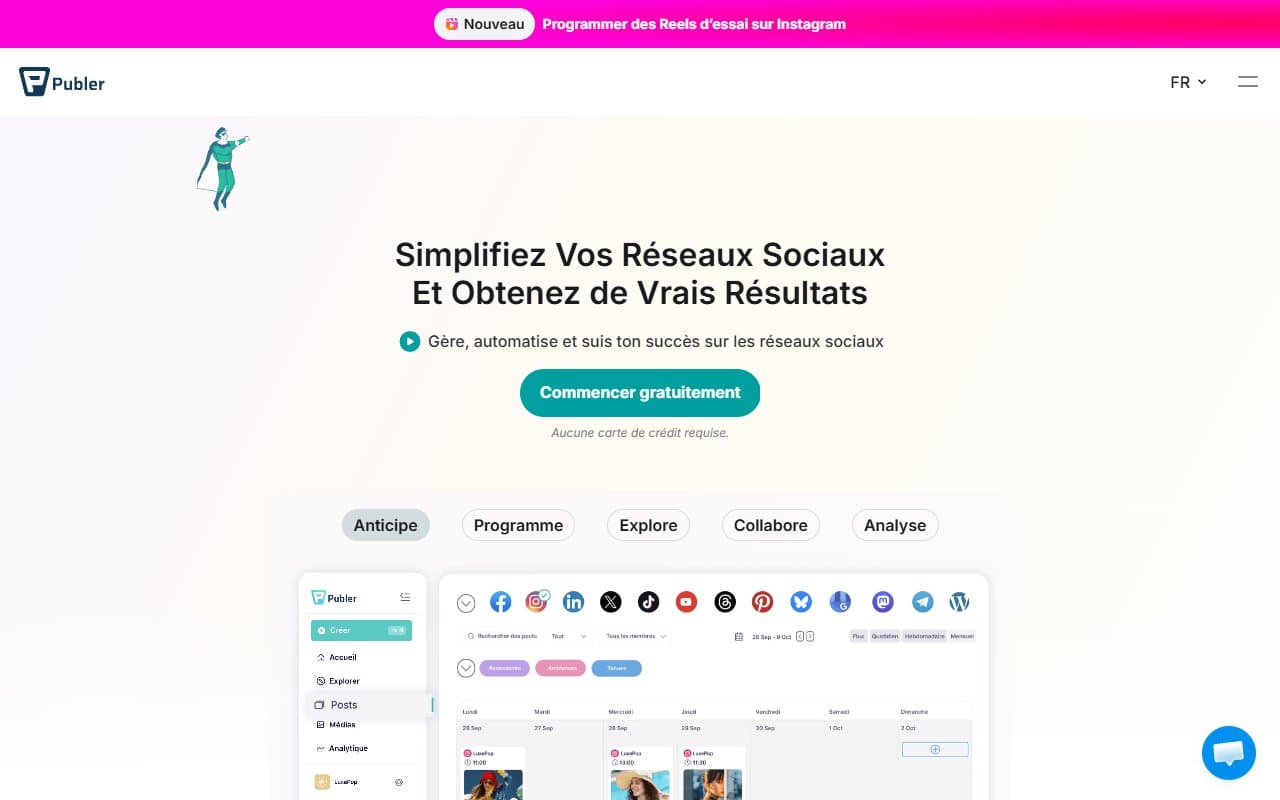
Publer is a social media scheduler. You connect your accounts — Instagram, Facebook, LinkedIn, TikTok, Pinterest, Google Business, and others — and use one dashboard to write, schedule, and publish content across all of them.
The difference between Publer and basic schedulers is in the details. Upload hundreds of posts at once using a spreadsheet. Set recurring posts so evergreen content stays active without manual rescheduling. The Instagram grid planner shows your feed as your audience sees it. UTM tracking means every link tells you whether social traffic converts in your analytics. Built-in watermarking stamps your logo onto images automatically.
Analytics covers the basics well — engagement, reach, follower growth, best posting times. It will not replace a dedicated analytics platform for major client reporting, but for most small businesses it answers the questions that matter.
Pricing
Free plan: Three social accounts and 10 scheduled posts per account. Enough to evaluate the tool properly, not enough to run a business on. Use it for a few weeks before committing.
Professional plan ($12/month per user): Unlocks bulk scheduling, analytics, and the Instagram grid planner. Most small businesses should start here. Buffer charges more for less, and the feature depth here is real.
Business plan ($21/month per user): Adds team collaboration, client approval workflows, and more social accounts. If you are an agency or have multiple people managing social, buy this tier. Still cheaper than Hootsuite at comparable capability.
Enterprise: Custom pricing for large teams. At that scale you probably want tools with more sophisticated social listening and reporting anyway.
What Works Well
Bulk scheduling that holds up. The CSV import for bulk posts works reliably. For e-commerce teams running promotional calendars, this feature saves three to four hours weekly.
UTM tracking baked into the workflow. You do not visit a separate UTM builder, copy a link, and paste it back. Publer generates and appends UTM parameters as part of scheduling. Massive time saver when publishing daily across multiple channels.
The watermarking feature works. Set it once per workspace and every image goes out branded. For photographers and visual-first brands, this removes a manual step that most people skip under deadline pressure.
What Does Not Work
Analytics stops where it matters most. The reporting gives you platform-level data but lacks competitive benchmarking, sentiment analysis, or audience demographic depth. If a client asks for a monthly performance report with real insight, you will export data and build something in Google Sheets anyway.
Social listening is absent. You cannot monitor brand mentions, track keywords, or follow competitor activity from inside Publer. For a business managing a growing brand or dealing with customer service conversations across social, this gap forces you into a second tool.
How It Compares
Buffer is cleaner and simpler, but you pay per channel and analytics cost extra. Publer gives you more for less money the moment you manage more than four accounts. Choose Buffer if you have one brand and minimal complexity.
Hootsuite has deeper social listening and more enterprise integrations. It also costs significantly more and carries a learning curve that will frustrate non-technical teams. Choose Hootsuite if monitoring conversations and mentions is core to your strategy.
Later is stronger for purely visual brands focused on Instagram and TikTok. Publer wins on multi-platform flexibility and pricing once you move beyond two platforms.
The Verdict
If you are a freelance social media manager juggling five or more client accounts, Publer at the Business tier is one of the better value decisions you can make this year. The combination of bulk scheduling, watermarking, grid planning, and UTM tracking in one workflow — at under $25 monthly — is not something competitors match at this price.
If social listening and competitive monitoring are central to your work, Publer will leave you underserved and you will pay for a second tool anyway. Hootsuite or Sprout Social makes more sense despite higher cost.
For photographers, e-commerce brands, and small agencies who need reliable scheduling with visual tools and clean analytics, Publer earns its place. It does not try to be everything, and what it does, it does right.
Common Questions
Does Publer support TikTok scheduling?
Yes, TikTok is supported alongside Instagram, Facebook, LinkedIn, Pinterest, Google Business, and others. Auto-publishing availability can vary by platform policy, so confirm current status during your trial.
Can clients approve posts before they go live?
Client approval workflows are available on the Business plan. You share a review link with a client and they can approve or request changes without needing a Publer login.
Is the free plan usable?
For a single brand just starting out, yes. Three accounts and 10 scheduled posts per account is enough to test whether the tool fits your workflow. You will hit the ceiling quickly if posting daily across multiple platforms.
How does Publer handle Instagram Stories and Reels?
Both are supported for scheduling. The Instagram grid planner applies to feed posts. Stories and Reels scheduling works through the standard post composer with platform-specific formatting options.