Most small business owners assume they need a CRM and a separate email marketing platform. The industry has convinced you of this. The real surprise is how rarely that's true — and how much time and money burns on two tools that should have been one.
Who Should Use Nutshell
A 12-person IT consultancy with steady inbound leads and a sales rep doing follow-ups by hand — exactly who Nutshell was built for. If your team tracks deals through stages, sends regular outreach emails, and needs to know which opportunities are going cold without hiring a CRM administrator, Nutshell fits that workflow.
Professional services firms are another strong match: accountancy practices, recruitment agencies, marketing consultancies where relationships drive revenue and every deal has a longer close cycle. Log contact history, automate follow-up sequences, and run email campaigns to segmented lists, all inside one login. That removes daily friction.
Where it doesn't belong: e-commerce or any business needing sophisticated marketing automation — behavioural triggers, complex branching logic, or deep integration with product catalogues. A 30-person online retailer should look elsewhere. Nutshell is a sales-first tool, not a marketing platform with a CRM bolted on.
What It Actually Does
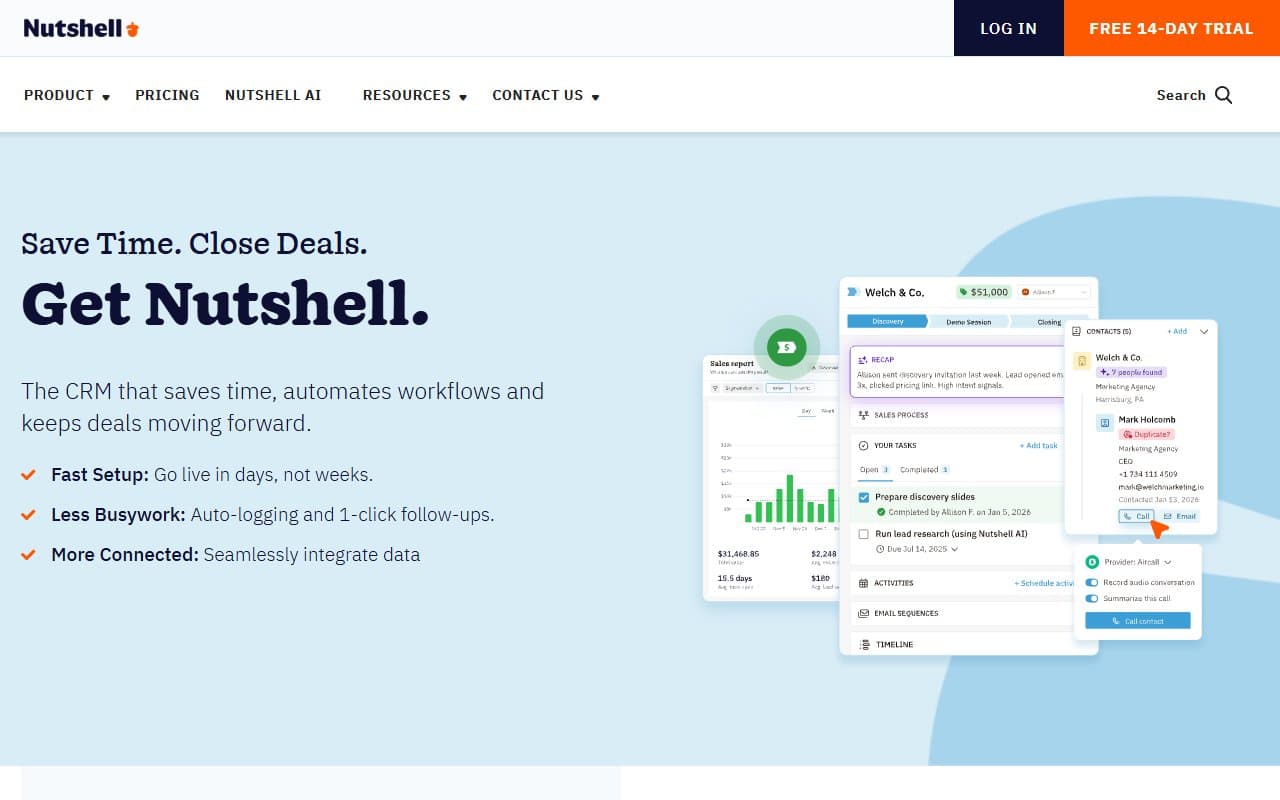
Nutshell manages contacts and deals alongside basic but functional email marketing. You build a sales pipeline, move prospects through stages, and set automated tasks or email sequences so leads don't fall through cracks. The email side sends newsletters or drip campaigns to your contact list without exporting to a separate tool.
The AI writing assistant drafts emails well enough to save time on routine outreach without producing anything that reads human. Reporting covers pipeline health, team activity, and revenue forecasts — nothing exotic, but enough for a business owner to spot problems before they become expensive. A non-technical person can configure the whole thing in an afternoon.
Pricing
Foundation — $16/month per user. Core CRM, pipeline management, and basic reporting. Email marketing not included. For solo operators just tracking contacts and deals, reasonable value. For most teams, it's a starting point, not a destination.
Growth — $42/month per user. Email marketing, AI writing, and sales automation unlock here. Buy this tier. For teams of three to ten people, this is where the tool becomes genuinely useful. The jump from Foundation feels steep, but when you factor in replacing a separate email marketing subscription, the math often works out.
Pro — $76/month per user. Advanced reporting and higher usage limits. Worth it if you have a dedicated sales manager who lives inside dashboards. For most small businesses, Growth is enough and Pro costs more than you'll use.
What Works Well
Pipeline visibility that actually gets used. Most CRMs have beautiful pipelines that teams quietly abandon after three weeks. Nutshell's is clean enough that sales reps update it without nagging, which means your pipeline data stays accurate enough to be useful.
Email marketing that doesn't need a separate login. The integration between CRM contacts and email campaigns works in practice — you segment your list based on deal stage or contact type and send targeted outreach without exporting a CSV. For a five-person B2B firm, that alone justifies the price difference between tiers.
Automation that a non-technical person can actually configure. Setting up a follow-up sequence in Nutshell takes about twenty minutes the first time. No consultant required, no workflow builder that looks like an electrical schematic, and the logic is plain enough that whoever owns sales can manage it themselves.
What Does Not Work
The AI email writing is functional, not impressive. It drafts acceptable outreach emails, but the output is generic enough that you'll rewrite most of it anyway. It saves some time on structure, but don't expect it to replace a sales rep who knows how to write.
Reporting hits a ceiling fast. The built-in reports cover basics, but if you need custom attribution, multi-touch analysis, or granular team performance breakdowns, Nutshell will frustrate you. There's no report builder that lets you slice data your own way, which matters once your business grows past around fifteen people.
How It Compares
HubSpot CRM has a free tier and a larger ecosystem, but the moment you need anything meaningful — sequences, automation, proper reporting — the pricing escalates fast. Nutshell costs more upfront but doesn't punish you for actually using it.
Pipedrive is a stronger pure pipeline tool if email marketing isn't a priority. The sales UX is marginally better, but you'll need a separate email platform, which adds cost and friction.
Zoho CRM offers more features at a lower per-user price. It also requires significantly more setup time and has a steeper learning curve that regularly defeats small teams without dedicated IT support.
The Verdict
If you run a B2B service business with a real sales pipeline — consultancy, small agency, professional services firm — and you're currently paying for both a CRM and an email marketing tool separately, Nutshell is worth switching to. The Growth plan pays for itself quickly when you cancel the second subscription.
If your sales process is simple and email marketing isn't part of your outreach, Pipedrive at a lower price point is probably smarter. If you're in e-commerce or need marketing automation with real complexity, neither tool will serve you well — look at ActiveCampaign or Klaviyo instead.
Nutshell isn't flashy and won't impress anyone at a tech conference. What it does is keep your sales pipeline organised and your outreach consistent without requiring a full-time admin to maintain it.
Common Questions
Does Nutshell replace my email marketing tool?
For most small B2B businesses, yes — the Growth plan includes email campaigns, sequences, and list segmentation that covers standard outreach needs. If you're running complex multi-step automations with behavioural triggers, it won't fully replace a dedicated platform like ActiveCampaign.
Is Nutshell good for a one-person business?
It can be, but the Foundation tier at $16/month is the more sensible entry point for solo operators. If you're sending regular email campaigns to prospects or clients, the Growth plan adds enough to justify the higher cost even without a team.
How long does setup take?
Realistically, a working pipeline with imported contacts and one automated sequence takes about half a day. That's faster than most comparable tools. The email templates are usable immediately, which cuts setup time considerably.
Can my team learn this without training?
Most teams pick up the core workflow — logging contacts, moving deals, sending emails — within a few days of regular use. The interface doesn't require training sessions or consultants, which is a genuine advantage over more complex platforms.