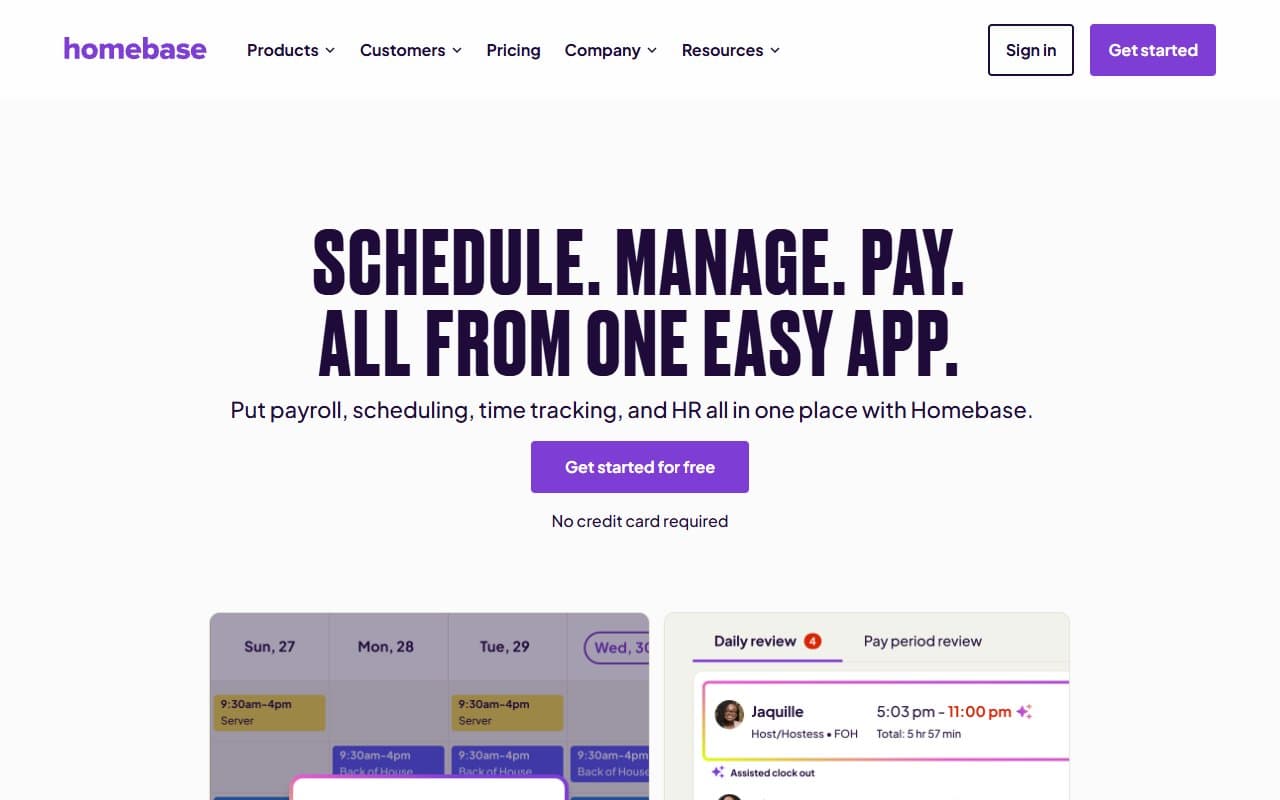
Maria owns three coffee shops and used to spend every Sunday building schedules by hand, then fielding shift-swap texts all week. Now Homebase generates her schedules based on labor forecasts while her baristas handle shift trades through the app. She gets her weekends back.
Who Should Use Homebase
You run a café with eight part-time staff and build rotas in Excel. Homebase will save you three hours every week. The free plan handles scheduling, time clocks, and team messaging — everything you need to stop managing staff through WhatsApp.
Twenty-person retailers with multiple locations get the most value from paid tiers. Track late arrivals across both stores from one dashboard. Catch timesheet errors before payroll runs. The labor cost forecasting shows you in real-time whether you're trending over budget.
Service businesses with field teams — cleaning companies, landscaping crews, mobile detailers — fit naturally. Staff who never touch computers can clock in, check shifts, and message managers without confusion.
Pricing
Free — $0/month: One location, unlimited employees, full scheduling, time tracking, and mobile clock-in. This isn't crippled software. Most single-location businesses under ten staff run entirely on this tier.
Essentials — $24.95/location/month: Adds advanced scheduling, time-off management, and HR document storage. Buy this once your team hits ten people and schedule complexity increases. This is where most small businesses should land.
Plus — $59.95/location/month: Adds performance tracking and custom permissions for managers. Only pay for this if you actually have managers who need different access than owners.
All-in-One — $99.95/location/month: Adds built-in payroll. Skip this if you already have a payroll provider you like. The value isn't there. If you're starting fresh and want everything in one place, it beats managing two subscriptions.
What Works
The free plan actually works. Most "free" business software exists to annoy you into upgrading. Homebase gives you real scheduling, time tracking, and clock-in apps without constant upgrade nags. Single-location businesses may never need to pay.
Building schedules takes minutes, not hours. Copy last week's schedule in two clicks. Adjust from there. A full week's schedule for a consistent team takes under ten minutes. The drag-and-drop interface doesn't fight you.
Late alerts save money immediately. Automatic notifications when someone misses their clock-in catch problems in real-time, not at week's end when the excuse is already polished. This feature alone pays for the subscription.
What Doesn't Work
Multi-location pricing hurts fast. Homebase charges per location, not per user. Three small retail units means triple the monthly cost. Deputy's per-user model costs less at scale. Run the math before committing to multiple locations.
The hiring module is thin. It posts jobs and collects applications, but screening and interview management barely exist. If hiring is a major ongoing problem, you'll outgrow this quickly. Treat Homebase as a scheduling tool that happens to include basic hiring, not the reverse.
How It Compares
Deputy is the main alternative. Better multi-location pricing for larger operations and stronger demand forecasting. Choose Deputy for five-plus locations or detailed labor analytics. Choose Homebase for better free features and cleaner single-site experience.
When I Work targets the same audience with similar features. Homebase beats it on free plan quality and onboarding. When I Work's interface feels dated after extended use.
The Verdict
If you manage hourly staff and still build schedules through texts and spreadsheets, stop. Download Homebase today. The free plan costs nothing and solves the immediate problem. Single or dual-location businesses under thirty staff should upgrade to Essentials at $24.95 monthly.
Five-plus locations should check Deputy first — per-location pricing may kill the value. Remote or knowledge-work teams should look elsewhere.
For hourly teams at one or two sites, this is the best price-to-capability ratio available.
Common Questions
Does Homebase work for restaurants?
Yes. Shift templates, split-shift support, and role-based scheduling reflect kitchen and front-of-house reality. Time clock tablet mode works well mounted by staff entrances. For restaurants needing broader operational tools, check our guide to the best AI tools for restaurants.
Can employees swap shifts themselves?
They request swaps through the app for manager approval. Staff can't make unilateral changes, which most owners prefer. The process takes thirty seconds and eliminates text message chains.
Does it integrate with payroll software?
Gusto, QuickBooks, and ADP integrations export approved timesheets directly. This eliminates manual re-entry that causes most payroll errors. Check your specific provider on their integrations page.
Is the free plan enough for small teams?
For single locations with straightforward scheduling, yes. You get full scheduling, time tracking, and team messaging at no cost. You miss advanced reporting and HR document storage, which matter more past ten employees. Compare this to Clockify's free plan which focuses purely on time tracking.
How does it compare to full HR platforms?
Homebase excels at scheduling but lacks comprehensive HR features like performance reviews and benefits management. For growing teams needing full HR capabilities, consider Rippling or check our comparison of Homebase vs Rippling Payroll.